

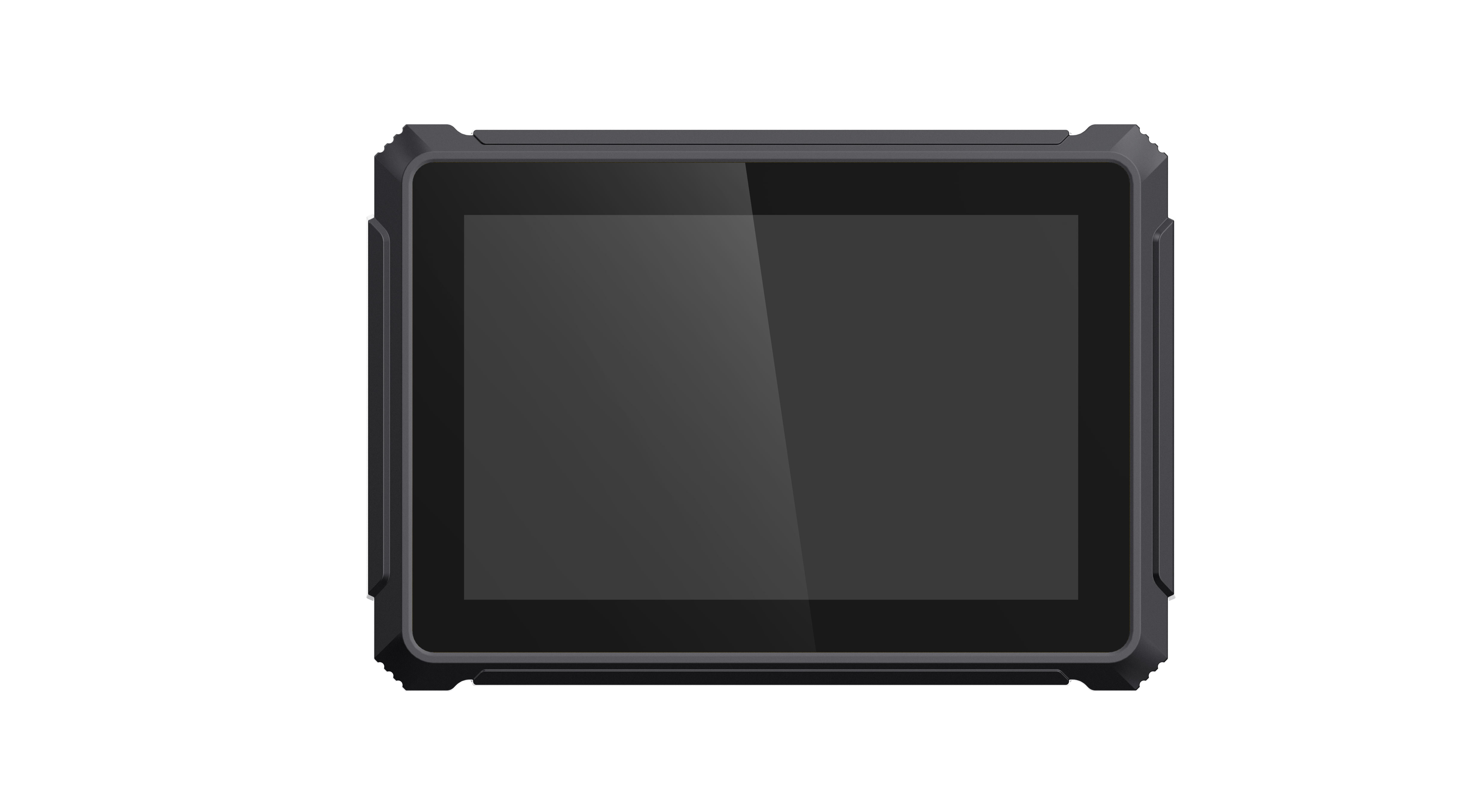
The words “rugged” and “industrial” are often used as if they describe the same vehicle computer. They do overlap, but they answer different questions. Industrial usually describes the type of components, interfaces, and long-life design used in a computer. Rugged describes how well the complete unit is prepared for vibration, dust, water, temperature changes, handling, and installation in a demanding environment.
A buyer comparing a rugged vehicle computer with an industrial vehicle computer should therefore look beyond the label. The practical question is whether the device can operate reliably after it is mounted in the target vehicle, connected to every peripheral, exposed to the real power supply, and supported for the expected service life.
The short answer
An industrial computer may provide a stable processor platform, extended interfaces, and longer component availability but still require a separate display, enclosure, power conditioner, and mounting solution. A rugged vehicle computer normally integrates the display, touch panel, vehicle power input, sealed enclosure, mounting points, antennas, and vehicle-facing interfaces into one unit.
Neither design is automatically better. An enclosed machine compartment may suit a box-style industrial computer connected to a remote display. A tractor cab, forklift, mining truck, bus, or dispatch vehicle often benefits from an integrated rugged terminal that can be installed and serviced as one device.
Rugged and industrial describe different design priorities
| Decision area | Rugged vehicle computer | Industrial vehicle computer |
|---|---|---|
| Typical format | Integrated screen, touch, enclosure, power, and vehicle connectors | Panel PC, embedded box computer, or modular computer/display combination |
| Installation focus | Cab or vehicle mounting with operator access | Machine cabinet, protected compartment, or custom integration |
| Environmental design | Sealing, vibration, shock, sunlight, temperature, and cable retention | Industrial temperature and component life; enclosure protection varies by model |
| Power | Wide DC input and ignition-related vehicle behavior are commonly built in | May need an external automotive power module |
| Human interface | Designed for direct operator interaction | May be headless or paired with a separate display |
| Customization | Cables, buttons, brackets, firmware, OS image, and interface combinations | Expansion cards, I/O modules, storage, and custom system integration |
This comparison is useful for creating a shortlist. The final choice still depends on how the computer is installed and what it must do.
Installation changes the meaning of “rugged”
A sealed terminal is not rugged in practice if the mounting arm amplifies vibration, a cable hangs from the connector, or an unused port is left open. The completed installation includes the bracket, fasteners, harness, cable routing, antennas, connector caps, and surrounding cab structure.
For an operator-facing project, check whether the display remains steady on rough ground, whether the operator can reach it while wearing gloves, and whether the terminal blocks windows or controls. For a machine-compartment installation, check airflow, heat, service access, water paths, and cable bend radius.
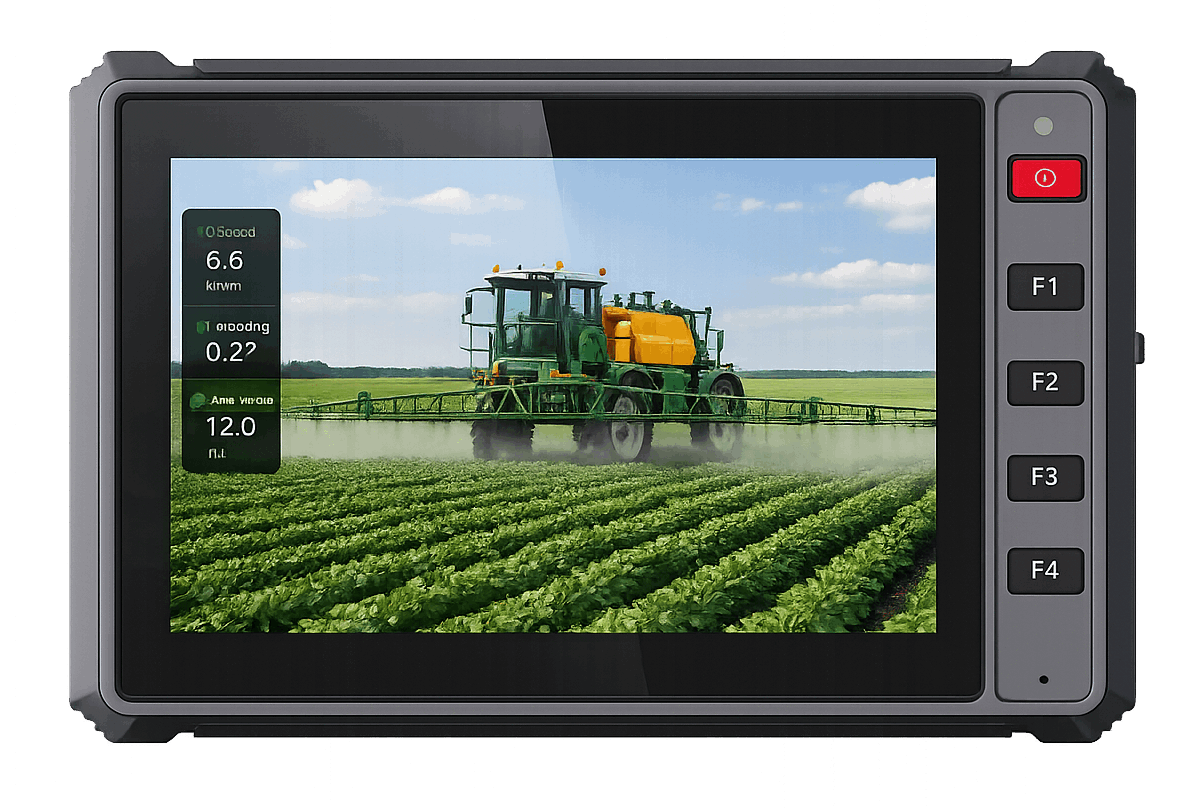
The PDS T7 is an example of an integrated rugged vehicle computer for restricted mounting areas. Its published specification includes a 7-inch IPS touch display, five front buttons, 9–36V DC input, IP66 protection, and Android or Linux options. It is a different installation proposition from placing a box PC behind the dashboard and adding a separate monitor.
Vehicle power is a major dividing line
Many industrial computers are designed for controlled DC supplies. Vehicles create a less predictable environment. Engine cranking, load dumps, relay switching, alternator behavior, reverse polarity risks, and ignition changes can affect the computer. The application also needs a planned startup and shutdown sequence.
A buyer should ask:
- What input-voltage range is supported under load?
- How is the computer connected to battery and ignition?
- What happens during engine cranking or a brief voltage drop?
- Can the terminal delay shutdown long enough to save data?
- Which vehicle power standard has been used during testing?
- Are the supplied cable, fuse, and connector included in the tested configuration?
PDS T7, T10Pro, and T12 vehicle computers publish a 9–36V DC input range. The T7 and T12 pages also refer to ISO 7637-II vehicle power requirements. These details make them a more direct starting point for a vehicle project than a general industrial computer that expects a clean external supply.
Environmental ratings must match the location
IP ratings address dust and water ingress under defined test conditions. They do not describe sunlight readability, operating temperature, vibration, shock, chemical exposure, or the condition of connected cables. A terminal mounted in a closed bus cabin faces a different environment from one installed on an open forklift, excavator, or agricultural machine.
Check the complete set of conditions instead of searching for the highest single rating. For example, the PDS T7 lists IP66, a -20°C to +70°C working range, MIL-STD-810 vibration testing, and ISO 16750 impact testing. The PDS T12 lists IP66, MIL-STD-810G vibration and shock testing, and a 750-nit display. These published points are relevant to exposed or high-vibration vehicles, but the buyer should still verify the exact test documentation required by the project.
Interfaces reveal which computer is easier to integrate
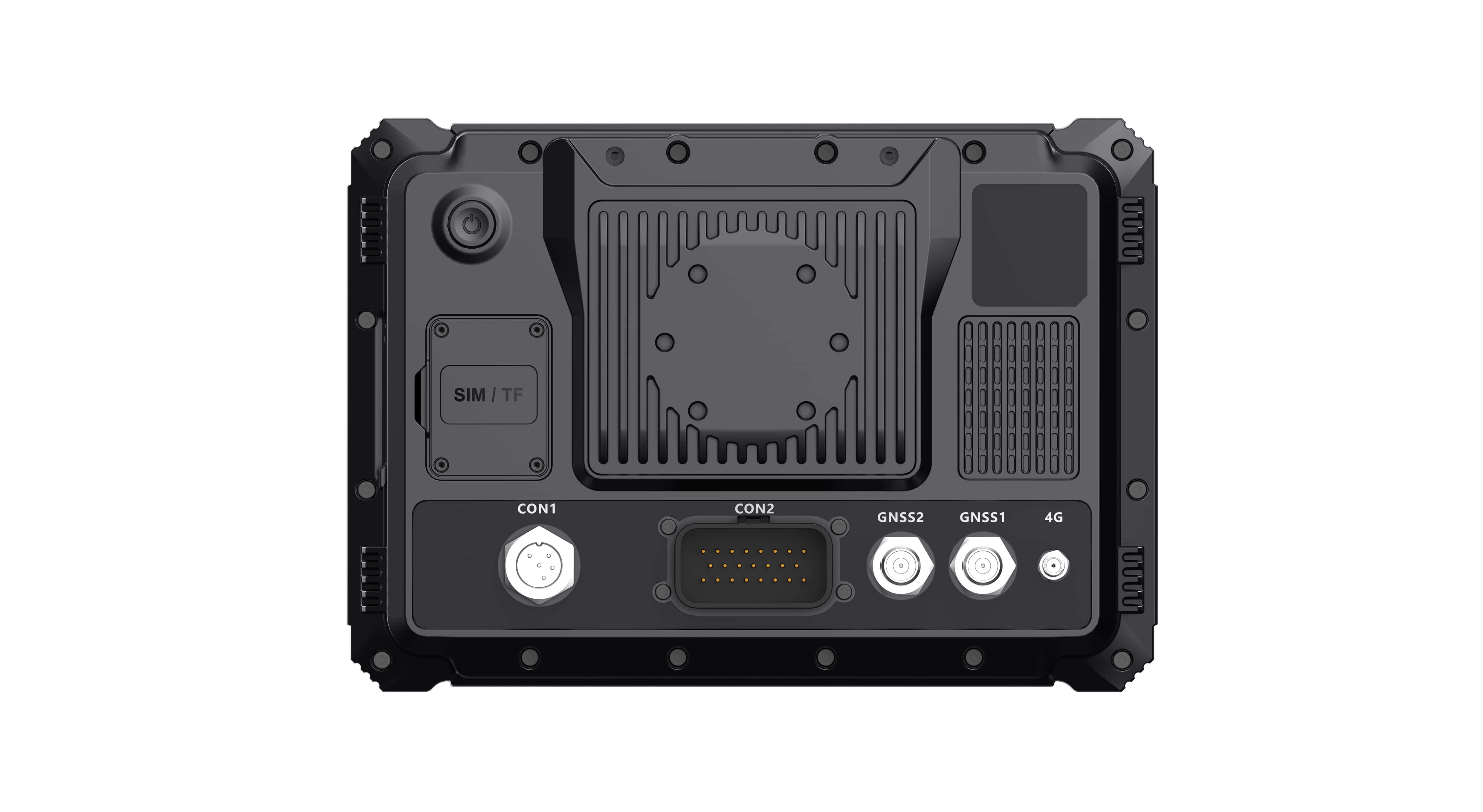
Industrial computers often offer broad I/O, but the physical connector and cable arrangement may not suit a moving vehicle. A vehicle terminal may use locking aviation connectors, vehicle-specific harnesses, external antennas, and predefined camera inputs. This can reduce installation work, although it may also require a customized harness.
List every required connection before choosing:
- CAN Bus channels and bitrates;
- RS232 and RS485 devices;
- Ethernet, USB, GPIO, and digital inputs;
- camera type, resolution, and channel count;
- 4G LTE bands, Wi-Fi, and Bluetooth;
- standard GNSS or RTK positioning;
- external antennas and correction-data radio;
- future devices planned for later project phases.
The PDS T12, for instance, publishes two CAN networks, RS232, RS485, Ethernet, up to four 1080P camera previews, optional RTK, 4G, Wi-Fi, and Bluetooth. A general industrial PC may offer comparable logical interfaces, but the buyer must compare the connector, cable, driver, and mounting details as well.
Operator workflow favors an integrated terminal
An operator-facing display needs more than computing performance. The screen should remain readable from the seated position. Touch targets need to suit gloves and vehicle motion. Important functions may need physical keys. The application should start predictably and avoid exposing settings that could interrupt the job.
The compact T7 front buttons can support frequent actions in taxis, light trucks, small agricultural machinery, and other narrow cabs. The larger T12 display is more suitable when guidance, camera views, alarms, and machine data need to remain visible together. The T10Pro offers a middle-size Android option with a 10.1-inch screen and four-channel 720P camera recording.
A separate industrial computer and display can also provide an excellent interface, especially in a custom machine. It simply places more design responsibility on the integrator.
Modular industrial systems can be the better choice
An integrated rugged computer is not always the right answer. A box-style industrial computer may be preferable when the processing unit must be hidden in a protected compartment, the display needs to be replaced separately, expansion cards are required, or the machine builder already has an established cabinet architecture.
Modularity can also simplify thermal design or allow one computer to drive multiple displays. In these projects, the integrator should add vehicle-grade power protection, secure connectors, suitable enclosure protection, and a tested display and cable system. The result can be highly reliable, but it is a custom system rather than a ready-to-mount terminal.
Compare total project work, not only unit price
A lower hardware price can be offset by enclosure work, power conditioning, display sourcing, harness design, driver development, bracket fabrication, environmental testing, and field-service complexity. Conversely, a highly integrated terminal may include features that a simple fleet application does not need.
Compare the complete bill of work:
- computer, display, bracket, antennas, cables, and accessories;
- application and driver development;
- vehicle installation time;
- environmental and interface testing;
- remote management and updates;
- spares and replacement process;
- technical support over the project life.
This is where OEM/ODM support matters. A manufacturer that can adjust the harness, connector definition, firmware, operating-system image, enclosure detail, or bracket may reduce integration work even when the unit price is not the lowest.
Which type should you choose?
Choose an integrated rugged vehicle computer when the project needs an operator-facing screen, direct vehicle power, a sealed enclosure, secure mounting, vehicle connectors, and repeatable installation across a fleet. Consider a modular industrial computer when the system belongs inside a protected machine architecture, needs unusual expansion, or separates computing and display functions.
Before placing an order, test the complete configuration in the target vehicle. Run the real application, connect every peripheral, repeat engine starts, expose the unit to the expected temperature and vibration, and document recovery from network, camera, and positioning interruptions.
Frequently asked questions
Is every industrial panel PC suitable for a vehicle?
No. Check vehicle power behavior, mounting, vibration, connectors, temperature, ingress protection, ignition control, and the required automotive or industry tests. An industrial temperature rating alone does not answer these questions.
Does IP66 mean the whole installation is waterproof?
It means the tested enclosure configuration meets a defined dust and water-ingress level. The installed cables, connector caps, antennas, and mounting penetrations must also preserve the intended protection.
Can PDS customize a rugged vehicle computer?
PDS provides OEM/ODM support for vehicle-computer projects. The scope may include operating-system configuration, interfaces, cables, mounting, enclosure details, branding, positioning, and application-related requirements. Feasibility depends on the model, quantity, validation plan, and technical requirements.
Discuss the installation, not just the label
The rugged-versus-industrial decision becomes clearer when the buyer describes the installation, operator, power supply, interfaces, environment, and maintenance process. A rugged vehicle computer is usually the direct choice for a repeatable in-cab terminal. A modular industrial computer may be stronger inside a custom machine system.
Explore the PDS rugged vehicle computer range and send your installation drawing, software platform, interface list, camera count, positioning requirement, and vehicle type through the PDS contact page.
Contact us
📧Email:[email protected]
📞Tel:+86 13421822024
🌐Website: www.szpds.com
Disclaimer
The information in this article is for reference only. PDS Technology Co., Ltd. assumes no responsibility for errors, omissions, or suitability of the content for specific applications. Product specifications are subject to change without notice. Buyers should verify all technical details with our team before use.
About PDS Technology
PDS Technology is a leading OEM/ODM manufacturer of high-precision RTK GNSS terminals and vehicle computers, serving agriculture, construction, mining, taxi, and logistics industries since 2011.
With 15+ years of automotive-grade R&D experience, we offer rugged, multi-OS (Android/Linux/OpenHarmony) devices featuring RTK centimeter-level positioning, IP66 protection, and AI-ready performance. Our IATF16949-certified factories have produced over 100,000 units deployed globally, holding 30%+ of China's agricultural auto-steering terminal market. We export to Japan, the US, UK, Turkey, Russia, and beyond.





