

A rugged vehicle computer for construction equipment has a deceptively simple job: stay readable, connected, and responsive while the machine shakes, the cab fills with dust, mobile coverage disappears, and the operator is already busy watching the work area. A consumer tablet may survive a short demonstration. A production terminal must survive the whole shift and recover cleanly after every ignition cycle.
That difference changes the buying process. Screen size and processor speed matter, but so do the mounting position, connector retention, power behavior, camera layout, CAN messages, offline storage, and service access. The most useful specification is the one tied to a real event on the machine.
1. Industry challenges on a construction site
Construction machines spend their working lives close to vibration, heat, dust, mud, and electrical noise. Excavators swing and stop repeatedly. Loaders reverse into changing traffic. Compactors run through continuous vibration. A mining truck may work a long route with no reliable public network. Each duty cycle stresses the terminal differently.
Visibility is another concern. An operator may need machine alarms, hydraulic or engine data, a dispatch task, a map, and one or more camera views. The computer cannot simply put all of that information on one crowded dashboard. It should bring the right view forward at the right moment, such as a rear camera when reverse is selected or a clear alert when a CAN value crosses a defined threshold.
Power deserves equal attention. Engine cranking, aging batteries, long harnesses, jump starts, and rapid key cycles can expose weaknesses that never appear on a bench supply. A terminal that boots quickly but loses the current job during shutdown is not ready for fleet deployment.
2. Device requirements should follow the shift
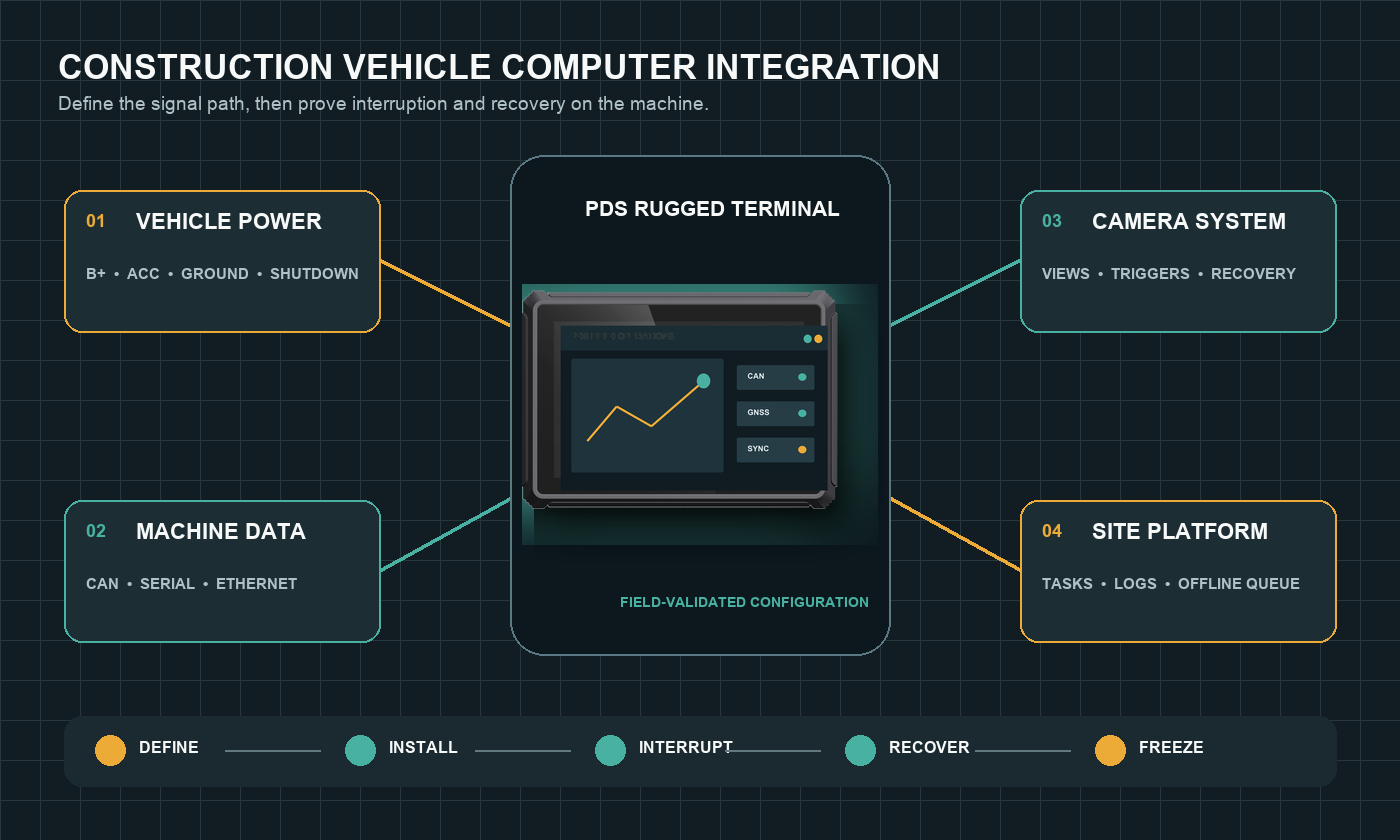
Begin with one operating day. Write down what happens from the first key turn to the final shutdown. Include login, machine identification, pre-start checks, work assignment, camera use, alarms, pauses, refueling, network loss, maintenance notes, and end-of-shift synchronization. This short exercise usually exposes more requirements than a generic hardware questionnaire.
For every step, define the information source and the expected response. If engine hours come from CAN, who owns the message definition? If a supervisor changes a task remotely, what happens when the network drops halfway through the update? If a camera is unavailable, does the operator receive a useful warning or only a blank tile? The answers become acceptance tests.
3. Ruggedness is more than an IP number
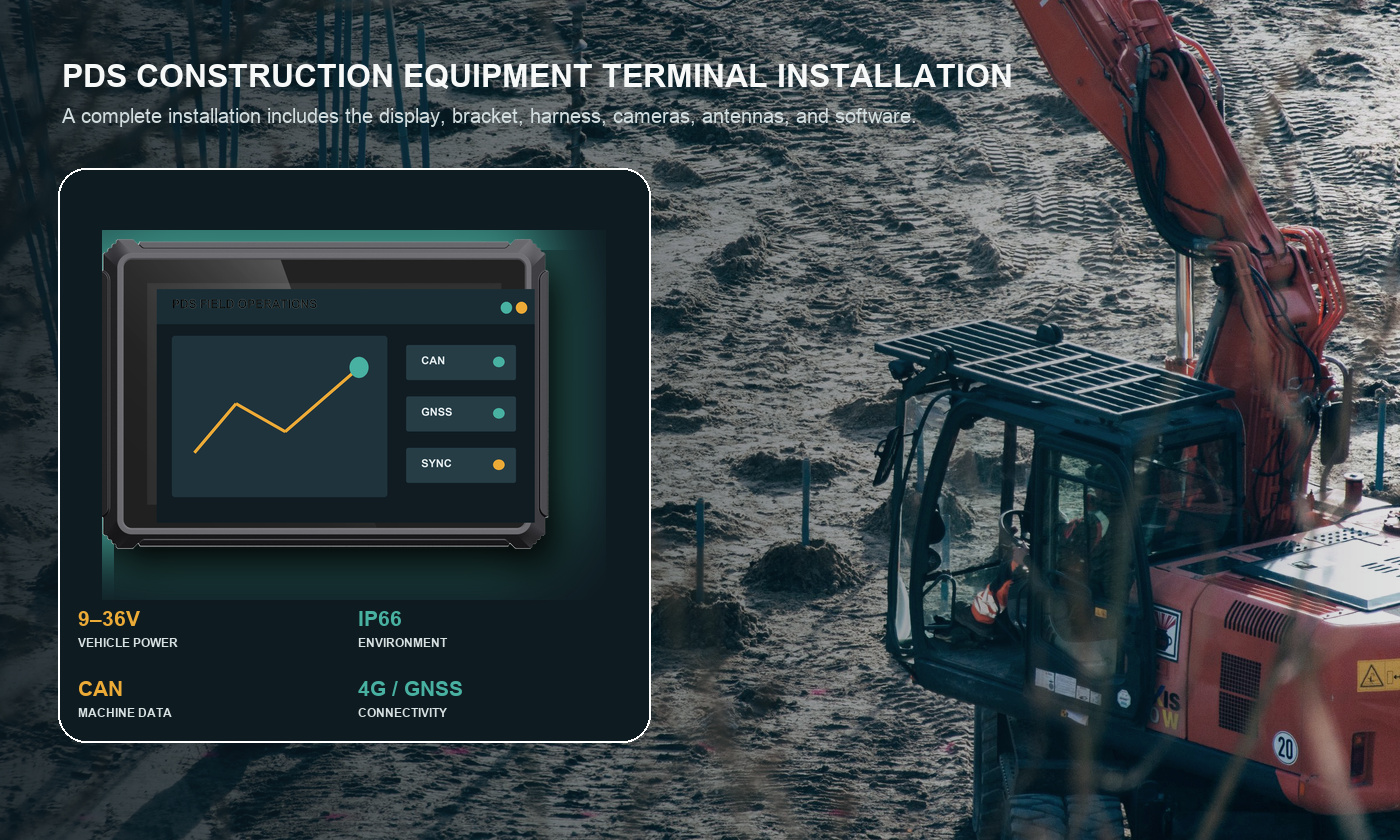
Ingress protection is important because fine dust and washdown water find weak points around connectors, card slots, and housing seams. PDS T8Pro and T10Pro configurations list IP66 protection and a -20°C to +70°C operating range. Those figures are a starting point, not permission to ignore the installation.
A connector left unmated or a cable gland pointed upward can undermine an otherwise sealed device. The bracket also matters. It needs enough stiffness to keep the display readable, yet it should not block sight lines or transfer unnecessary stress into the housing. Leave room for cable bends and for a technician to release each connector without removing half the dashboard.
Ask the supplier which tests apply to the quoted configuration and whether the harness and mating connectors are included. An OEM rugged vehicle computer may use a customer-specific cable, radio, modem, or housing detail, so the final production combination must be documented and validated.
4. Display and HMI choices inside the cab
An 8-inch terminal is often easier to place in a compact excavator or loader cab. A 10.1-inch display gives more room for split camera views, machine data, and a site map. Neither is automatically better. Print or display the actual application at full size, sit in the target cab, and check the view from the normal seat position.
Pay attention to reflections, text size, touch targets, glove use, night dimming, and the distance from the operator's hand. Critical warnings should not rely on color alone. Frequently used actions should not require several small taps while the machine is moving. If physical acknowledgement is required, include it in the control and interface plan.
5. Vehicle data, cameras, and connectivity
CAN, serial ports, Ethernet, USB, GPIO, and camera inputs are only useful when their electrical and software details match the project. For CAN, confirm channel count, bitrate, termination, isolation, message ownership, and diagnostic behavior. For RS232 or RS485, confirm voltage level, baud rate, cable length, connector pins, and protocol.
Camera planning should start with blind spots rather than channel count. Mark the areas that the operator cannot see, decide when each view is needed, and select the camera standard, field of view, mounting height, cable route, and trigger logic together. PDS T8Pro offers configurable interface combinations, while T10Pro supports a default combination with four cameras, two CAN channels, and two RS232 ports. The quoted harness and software image should match the selected combination.
4G LTE, Wi-Fi, Bluetooth, and GNSS can connect the machine to dispatch, maintenance, and site systems. Core operation should still continue during a coverage gap. Cache current tasks and essential maps locally, timestamp machine records, and test how the application retries an interrupted upload without creating duplicates.
6. Power, boot, and controlled shutdown
PDS T8Pro and T10Pro list 9–36V DC input. The project team still needs to define fuse protection, B+ and ACC wiring, grounding, standby current, transient exposure, and shutdown delay. Test the terminal on the actual machine during cold start, warm restart, rapid key cycles, and low-voltage conditions.
The application should know what to save when ACC turns off. A job record, alarm history, camera clip, or maintenance note may still be in memory. Controlled shutdown is therefore a software requirement as much as a hardware feature. Measure the time from key-on to a usable screen and from key-off to safe power removal.
7. Recommended PDS starting points
| Project situation | PDS model to review | Why it belongs on the shortlist |
|---|---|---|
| Compact excavator, loader, or bulldozer cab | T8Pro | 8-inch display, Android 11/13, configurable CAN/serial/camera I/O, 9–36V input, IP66 |
| Large excavator, mining truck, or multi-view HMI | T10Pro | 10.1-inch display, four-camera support, dual CAN, serial interfaces, optional RTK, 9–36V input, IP66 |
| Focused monitoring with simpler integration | T8 | 8-inch Android terminal with CAN, RS485, Ethernet, camera support, GNSS, and IP66 protection |
A rugged vehicle computer supplier in China should help translate the vehicle list into a controlled configuration. For OEM/ODM work, ask for the processor, memory, storage, OS build, modem region, GNSS option, I/O combination, connector pinout, harness drawing, bracket, and acceptance limits in the same document. This prevents a sample and a production unit from sharing a model name but behaving differently.
8. Application example: a site telematics terminal
Consider an excavator that receives daily work areas from a site platform. At key-on, the terminal identifies the machine, restores the last valid configuration, and checks the CAN and camera connections. The operator sees the assigned area, machine warnings, engine hours, and the camera view needed for the current movement.
Coverage disappears behind a stockpile. The machine continues working from the local assignment while the terminal stores timestamped status records. When the connection returns, it uploads the missing interval in order. At key-off, the current task and any pending records are committed before the shutdown delay expires.
This example creates a practical test list: cold boot, machine identification, CAN loss, camera loss, offline work, queued upload, duplicate prevention, and safe shutdown. It also shows why a specification cannot stop at processor, memory, and screen size.
Frequently asked questions
Is IP66 enough for every construction machine?
No single rating answers every installation question. Review dust, water, connector sealing, operating temperature, vibration, cable routing, and cleaning practice together. Confirm that the evidence applies to the final quoted configuration.
Should an excavator use an 8-inch or 10-inch terminal?
An 8-inch terminal suits restricted cab space and focused screens. A 10.1-inch terminal is useful when operators need larger maps, richer machine data, or several camera views. Test both with the real application and bracket position.
Can the same terminal be used across a mixed fleet?
Often, but the harness, bracket, CAN database, power wiring, camera layout, and software profile may differ by machine. Standardize the computer where it helps, then control the vehicle-specific parts.
Choose the complete installation
The right rugged vehicle computer for construction equipment is the one that keeps the operator's workflow intact through vibration, dust, network gaps, and repeated power cycles. Define the shift, prove the full installation on representative machines, and freeze the configuration that passed.
Review the PDS construction and mining solution, compare the 8-inch and 10-inch vehicle computer ranges, or contact PDS Technology with your machine list, interfaces, cameras, software, and mounting requirements.
Contact us
📧Email:[email protected]
📞Tel:+86 13421822024
🌐Website: www.szpds.com
Disclaimer
The information in this article is for reference only. PDS Technology Co., Ltd. assumes no responsibility for errors, omissions, or suitability of the content for specific applications. Product specifications are subject to change without notice. Buyers should verify all technical details with our team before use.
About PDS Technology
PDS Technology is a leading OEM/ODM manufacturer of high-precision RTK GNSS terminals and vehicle computers, serving agriculture, construction, mining, taxi, and logistics industries since 2011.
With 15+ years of automotive-grade R&D experience, we offer rugged, multi-OS (Android/Linux/OpenHarmony) devices featuring RTK centimeter-level positioning, IP66 protection, and AI-ready performance. Our IATF16949-certified factories have produced over 100,000 units deployed globally, holding 30%+ of China's agricultural auto-steering terminal market. We export to Japan, the US, UK, Turkey, Russia, and beyond.





