

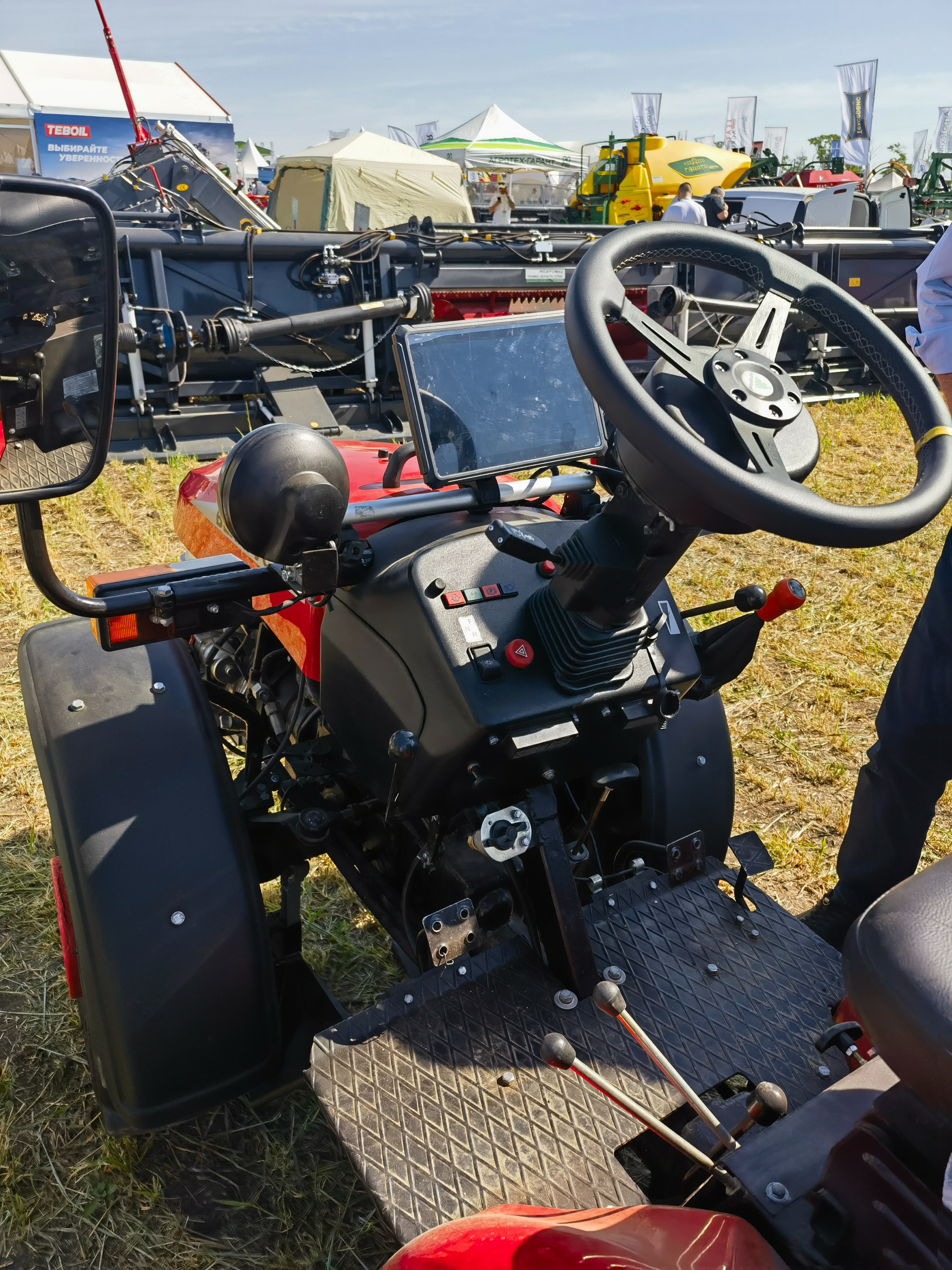
Look at two terminals on a test bench and both may show the same RTK fix. Put them in tractors for a full afternoon and the difference becomes easier to see. One screen stays clear in the sun and tells the driver exactly what is happening. The other turns a simple warning into a phone call to the dealer.
The driver lives with the terminal, not the accuracy figure in a brochure. It carries the guidance line, steering status, field information, and alarms. A display that is awkward to read can make a capable steering system feel unfinished.
So when choosing an RTK GNSS terminal for tractor auto-steering, look beyond the receiver specification. Think about the cab, the person using the tractor, and what happens after several hours in the field.
Picture the working day first
Processor speed and interface lists can wait. Begin with the work the tractor actually does.
A compact tractor spraying small fields may only need a guidance line, steering status, and a few large controls. On a larger seeding tractor, the same display might also carry field boundaries, implement information, and a rear camera. More functions change both the screen size and the way the page should be arranged.
Ask a few simple questions:
- Where can the display sit without blocking the driver's view?
- What information must remain visible while steering?
- Will the terminal display cameras or implement data?
- Is this a one-model installation, or the beginning of a wider product range?
Once those answers are clear, several unsuitable models usually drop out of consideration straight away.
A good terminal makes RTK easier to trust
RTK helps a tractor return to a repeatable line for seeding, spraying, land preparation, and similar work. Real fields are not controlled test sites, though. Trees, buildings, slopes, and weak mobile coverage can all interrupt correction data.
The operator needs to understand what is happening without studying a technical screen. Is RTK ready? Is steering engaged? Has accuracy changed? Can work continue?
Clear status information matters because customers judge the complete auto-steering product, not the receiver, display, controller, and cables separately. A confusing warning or unexplained loss of corrections can make a technically capable system feel unreliable.
Daylight readability is just as important. Brightness helps, but the real test is whether the guidance line, buttons, and warnings remain clear from the normal driving position. The screen should be checked with the actual software inside the intended cab, not only in an office.
Pick the screen size inside the cab, not from a catalogue
There is no winning size for every tractor. A large display is comfortable when several views must stay open. A smaller one is easier to mount and is often enough for focused guidance software.
| Screen size | Often suits | Main consideration |
|---|---|---|
| 7 inch | Compact tractors and basic guidance | Fits tight cabs; complex pages can feel crowded |
| 8 inch | Retrofit projects and everyday auto-steering | A practical balance between visibility and cab space |
| 10 inch | Full auto-steering with maps, status, or cameras | More comfortable for several information areas |
| 12 inch | Advanced systems and larger in-cab control interfaces | Works best when the cab and software genuinely need the extra area |
For simple steering software, an 8-inch terminal may be more pleasant than a 12-inch unit that dominates the cab. The opposite is true when the driver has to keep changing pages on a small screen just to find basic information.
Before making a final choice, check the mounting position. The terminal should not block the windscreen, existing controls, or access to other equipment. Even a cardboard outline of the proposed screen can help reveal whether the size works in the cab.
PDS offers rugged vehicle-computer platforms in 7-inch, 8-inch, 10-inch, and 12-inch formats. Buyers can compare the available options on the PDS rugged vehicle computer range at PDS rugged vehicle computer range.
Check reliability and integration as a complete system
An RTK GNSS terminal for tractor auto-steering needs to work with the steering controller, application, correction source, vehicle power, and any cameras or implement data included in the product.
A datasheet may show CAN Bus, serial ports, wireless communication, and camera inputs. The important question is whether the required functions work together in the real application. For example, the guidance screen should remain responsive when a camera is open, and the terminal should not restart when the tractor engine causes a short voltage drop.
Field reliability also depends on details that receive little attention in a sales brochure. Secure connectors, a stable mount, suitable power input, and good thermal design can prevent interruptions during long working days.
Testing the complete installed system is more useful than testing each component separately. Use the real software, cables, controller, correction source, and mounting position. A terminal that performs well on a desk may behave differently after several hours of vibration, heat, dust, and sunlight.
Why not use an ordinary consumer tablet?
A consumer tablet can be useful for demonstrating software, and the familiar design may look attractive. It is not always suitable as the final hardware for a commercial tractor auto-steering product.
Agricultural terminals are built around vehicle conditions. Depending on the model, they can provide wider power input, fixed mounting, secure connectors, CAN or serial communication, camera support, and housings designed for dust, vibration, and temperature changes.
This difference affects more than hardware life. A clean installation with reliable cables and stable communication makes the whole steering solution look like a finished product. Improvised adapters and loose charging cables create the opposite impression.
Think about the next version, not only the first one
Auto-steering products often grow after the first market launch. Customers may ask for another screen size, a different modem, camera support, implement monitoring, or additional tractor models.
The first terminal does not need every available option. It should, however, leave room for the most likely next step. Changing the platform later may require new software work, cables, mounting, and field testing.
Android or Linux, communication interfaces, positioning options, wireless modules, and screen choices all influence future development. The right combination depends on the software and the markets the product is intended to serve.
Where PDS fits into an auto-steering project
PDS develops rugged vehicle computers and RTK-ready terminals for agricultural machinery and other mobile equipment. Available project options can include different screen sizes, Android or Linux platforms, CAN and serial communication, wireless connectivity, cameras, positioning configurations, customized cables, mounting accessories, and branding.
The terminal can be selected around the intended steering product. A compact guidance system may suit a straightforward 7-inch or 8-inch platform. A solution that combines auto-steering, cameras, and more field information may benefit from a 10-inch or 12-inch display.
PDS can also support enclosure details, connector selection, cable design, software deployment, appearance, mounting, and project validation. More information is available on the PDS agricultural auto-steering solution page at PDS agricultural auto-steering solution page.
Common questions from buyers
Is the largest terminal always the best choice?
No. The display needs to be large enough for the software but small enough to fit the cab safely. Screen layout and mounting position matter as much as the diagonal size.
Can Android be used for tractor auto-steering?
Yes, when the Android version, drivers, interfaces, positioning setup, and application are compatible. Linux may also suit specialized projects. The decision should follow the software and long-term update plan.
Does PDS support customized or private-label projects?
PDS supports OEM and ODM projects for rugged vehicle computers and agricultural terminals. The scope can include hardware configuration, interfaces, cables, communication modules, software functions, appearance, branding, mounting, and testing.
Choose the terminal the operator will want to use
The right RTK GNSS terminal for tractor auto-steering is not necessarily the model with the largest screen or the longest specification sheet. It is the terminal that makes guidance clear, fits the cab, works reliably, and supports the direction of the product.
For more information about PDS and its engineering approach, visit PDS company and engineering approach. To discuss an agricultural terminal project, contact PDS at contact PDS.
Contact us
📧Email:[email protected]
📞Tel:+86 13421822024
🌐Website: www.szpds.com
Disclaimer
The information in this article is for reference only. PDS Technology Co., Ltd. assumes no responsibility for errors, omissions, or suitability of the content for specific applications. Product specifications are subject to change without notice. Buyers should verify all technical details with our team before use.
About PDS Technology
PDS Technology is a leading OEM/ODM manufacturer of high-precision RTK GNSS terminals and vehicle computers, serving agriculture, construction, mining, taxi, and logistics industries since 2011.
With 15+ years of automotive-grade R&D experience, we offer rugged, multi-OS (Android/Linux/OpenHarmony) devices featuring RTK centimeter-level positioning, IP66 protection, and AI-ready performance. Our IATF16949-certified factories have produced over 100,000 units deployed globally, holding 30%+ of China's agricultural auto-steering terminal market. We export to Japan, the US, UK, Turkey, Russia, and beyond.





