

Linux is often chosen for a vehicle computer when the terminal is part of a dedicated machine rather than a general mobile-app platform. The software team may need a controlled boot sequence, a custom QT interface, direct access to CAN or serial devices, background services, local logging, and a system image that changes only through an approved engineering process.
A Linux vehicle mounted computer can fit embedded HMIs, machine control, guidance, industrial data collection, and long-life OEM projects. Linux alone does not guarantee hard real-time behavior or safety certification. Timing depends on the kernel, drivers, application architecture, workload, and validation. Buyers should define the required response time and test it on the final hardware.
Why embedded teams choose Linux in vehicles
With Linux, the embedded team can keep the terminal focused on one job. Engineers can trim unused services, launch the HMI directly after boot, place logs where technicians can find them, and decide how the storage should recover after a hard power cut. That degree of control is valuable, but it also creates work that must have a named owner.
QT is commonly used for a dedicated graphical interface. A QT application can present machine status, guidance lines, alarms, cameras, or operator controls without showing a desktop environment. The interface can start automatically after boot and restrict access to engineering settings.
Long-term control is another reason. A project that runs for several years may prefer a stable image, documented dependencies, and scheduled maintenance releases instead of frequent consumer-style platform changes. That benefit only appears when the customer and supplier agree on source ownership, build tools, libraries, update policy, and support responsibility.
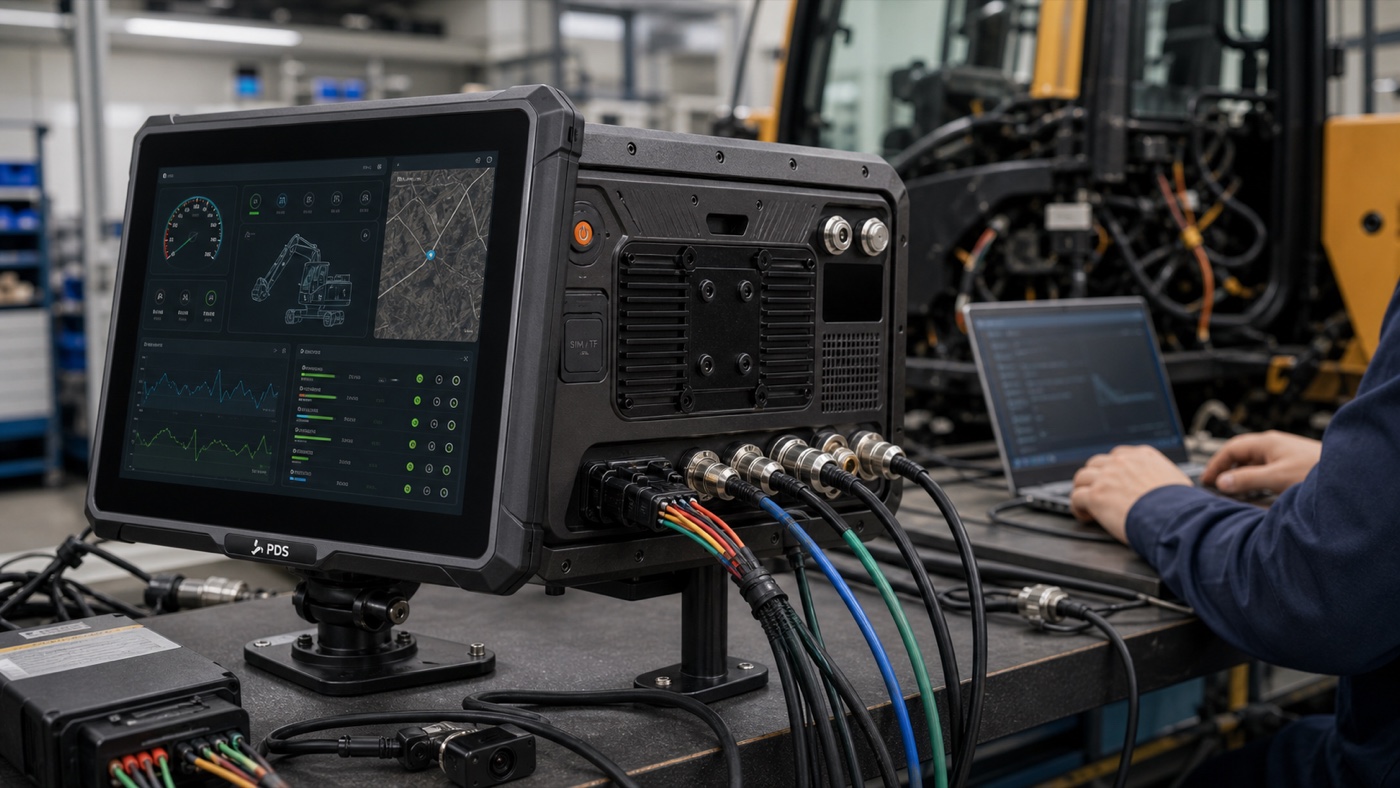
Linux is not automatically real-time
“Real-time” needs a number attached to it. Saying that a screen feels fast is not the same as proving that an event is handled within 20 ms, 50 ms, or another fixed limit. Write down the event, its deadline, the load present during the test, and the system response if that deadline is missed.
Depending on that answer, the design may use a real-time kernel, priority scheduling, isolated processor cores, a microcontroller, or a separate safety controller. In many vehicles the Linux terminal only handles the HMI and records data, while a dedicated ECU continues to run the control loop. Those are two very different designs.
Before calling a system real-time, run timing tests with cameras active, CAN traffic at the target rate, logging enabled, network communication running, and the graphical interface under load. The test should include temperature, repeated boot, storage use, and the expected peripherals.
Typical Linux vehicle-computer applications
Dedicated machine HMI
A construction, agricultural, or mining machine may need one approved screen for operating modes, alarms, sensor data, camera views, and service information. Linux and QT let the software team create a controlled interface without exposing unrelated consumer features.
CAN and serial data gateway
As a gateway, the terminal may listen to CAN, read an RS232 or RS485 instrument, receive GNSS data, keep an event log, and send selected records over Ethernet or 4G. Counting ports is not enough. The engineering sheet should also record bitrate, electrical isolation, termination, pinout, who owns each message, and whether the Linux build exposes the required driver.
Guidance and positioning terminal
Linux can support a dedicated guidance interface that combines GNSS or optional RTK positioning with machine data. The complete solution still needs antenna placement, correction data, coordinate handling, positioning status, controller communication, and a defined response when corrections are lost.
Local edge processing
Some projects process camera or sensor data locally before sending a result to the cloud. The required processor, memory, storage, GPU, and accelerator depend on the algorithm. Run the actual workload on the target hardware rather than estimating performance from a processor name.
PDS Linux hardware starting points
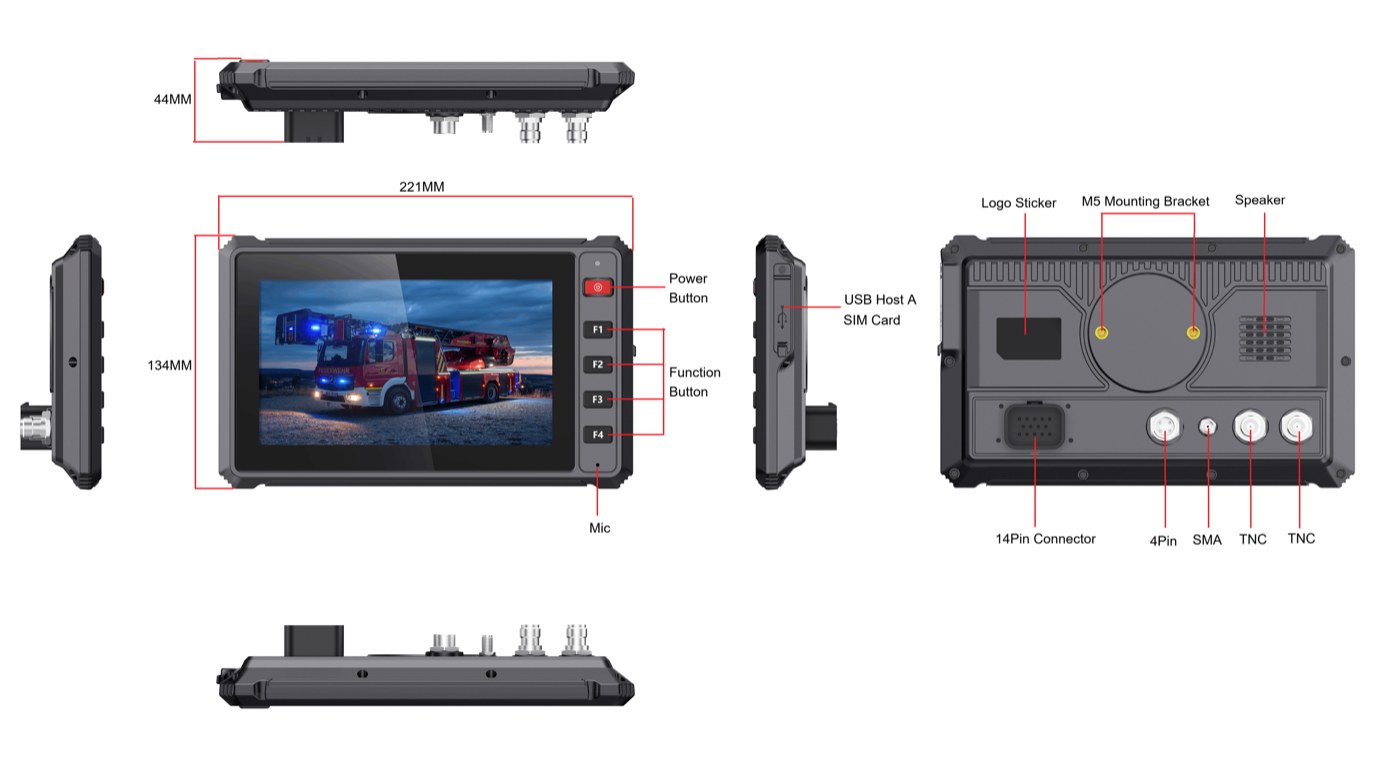
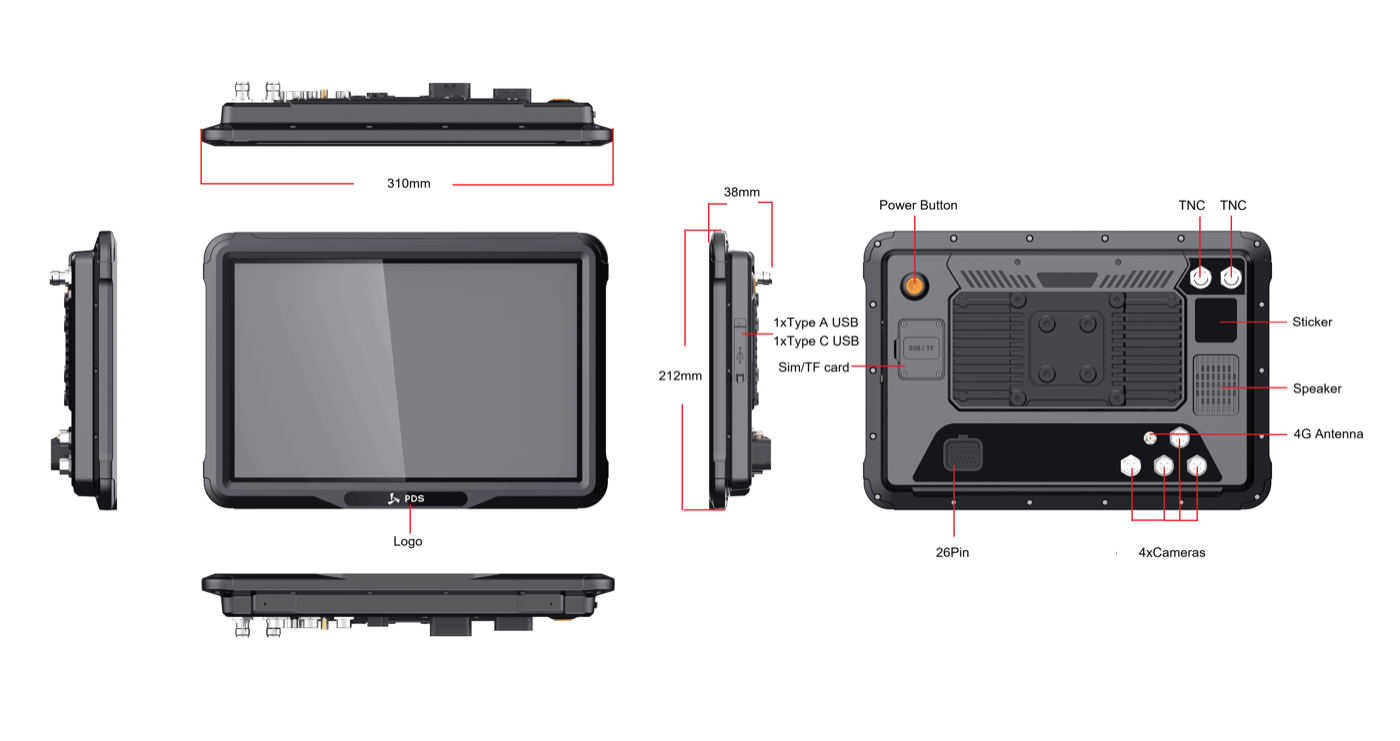
PDS currently publishes Linux options for the T7 and T12. A compact or large-screen Linux vehicle mounted computer can therefore be selected around the cabin layout and application workload.
| Selection point | PDS T7 | PDS T12 |
|---|---|---|
| Display | 7-inch, 1024 x 600, at least 750 cd/m2 | 12.1-inch, 1280 x 800, at least 750 cd/m2 |
| Linux option | Linux 4.9 + QT5 | Linux kernel 5.15 + QT5.15 |
| Published processor | Quad-core Cortex-A53 up to 1.5 GHz | 8-core Cortex-A55 up to 1.8 GHz |
| Published memory / storage | 2 GB / 16 GB | 4 GB / 64 GB, optional 256 GB storage |
| Operator layout | Compact screen with four front function keys | Large touch screen for multi-panel HMI |
| Published vehicle interfaces | Extension connector, camera, GNSS/LTE antenna options | Two CAN, two RS232, RS485, Ethernet, GPIO and four camera ports |
| Power and protection | 9-36V DC, IP66 | 9-36V DC, IP66 |
For a compact interface, the PDS T7 is the first model to review. Its smaller body and four front keys fit focused screens in taxis, light trucks, and smaller agricultural machines. The PDS T12 belongs at the other end of the shortlist: it gives a large HMI more room and provides the connections needed for cameras and heavy-equipment data.
Write down who supplies and maintains each software layer
A Linux prototype can run perfectly and still stall before production because nobody agreed who owns the software image. The device supplier may expect the customer to build it; the customer may expect a maintained kernel, drivers, and recovery image. Put that boundary in writing before the first pilot units are ordered.
- Exact Linux kernel and QT versions.
- Board support package, toolchain, SDK, and build instructions.
- Driver access for CAN, serial, camera, GNSS, 4G, Wi-Fi, Bluetooth, Ethernet, USB, and storage.
- Bootloader, splash screen, application auto-start, and service dependencies.
- Root access, user permissions, secure shell policy, and production credentials.
- Logging location, log rotation, crash records, and remote diagnostics.
- Image update method, rollback, recovery media, and field-service procedure.
- Source-code ownership and the support period for the selected configuration.
Plan for vehicle power interruption
A Linux file system can be damaged if power is removed during a write. The terminal and application need a shutdown and recovery strategy that matches the vehicle's ignition behavior. Ask how ACC is detected, whether shutdown can be delayed, which data must be flushed, and how the device behaves during repeated short starts.
Test the production storage configuration with the real logging rate. A system that writes camera files, databases, and diagnostic logs needs a different strategy from a simple HMI. Consider read-only partitions, journaled file systems, bounded logs, application checkpoints, and a recovery mode according to the project risk.
Validate drivers and interfaces as one system
Connect every planned peripheral during the pilot. If both CAN networks will run together, test them together. For each serial device, record whether it uses RS232 or RS485, then check baud rate, pinout, cable length, and termination. Cameras should be unplugged and reconnected during the test so the team can see how startup order, preview delay, resolution, and recording recover.
For 4G and GNSS, check antenna placement, destination-market bands, SIM behavior, time synchronization, positioning output, and recovery after signal loss. A driver that works during a short bench test may reveal different behavior after repeated ignition cycles or long operation.
Security and updates need a practical owner
Remove default passwords, limit services, protect production keys, and document remote access. Decide who monitors software vulnerabilities and who approves an update. A stable image should not become an abandoned image.
Use staged deployment. Update a small group of vehicles, monitor boot, application, interfaces, data, and operator feedback, then expand. Keep a recovery image and a clear method for returning a vehicle to service if an update fails.
Linux or Android: which should the project use?
Choose Linux when the terminal is a dedicated embedded system maintained by an embedded team, especially when the project needs a custom QT HMI, controlled services, direct hardware integration, and a stable product image. Choose Android when the project is touch-first, app-oriented, and maintained by a mobile development team.
Both can support vehicle applications. The safer choice is the platform that matches the existing software, developer skills, peripherals, update process, and support period. Do not select an operating system only because it is common in another industry.
Frequently asked questions
Is Linux better for real-time vehicle control?
Not automatically. The system needs a defined timing requirement and a tested architecture. Critical control may remain in a dedicated ECU or microcontroller while Linux handles the HMI, logging, and communication.
Can the PDS T12 use Android and Linux?
The current T12 page lists Android 13 and an optional Linux kernel 5.15 + QT5.15 configuration. Confirm the exact production image, drivers, interfaces, and support deliverables before development.
Which model is better for a compact Linux HMI?
The T7 is the smaller starting point and includes physical function keys. The T12 is better suited to a large multi-panel interface, several camera views, and broader vehicle connectivity.
Finish the system sketch before choosing the screen
Before choosing a Linux vehicle mounted computer, draw a one-page system sketch. Show what runs on the terminal, what stays in the ECU, every connected interface, the ignition and shutdown path, the software maintainer, and the recovery method. When that page is complete, the required screen size and hardware configuration are usually much less debatable.
Contact PDS Technology with your HMI layout, Linux and QT requirements, boot expectations, interface list, camera count, positioning needs, vehicle power conditions, destination market, and production quantity. Our team can help identify a practical T7 or T12 configuration for engineering evaluation.
Contact us
📧Email:[email protected]
📞Tel:+86 13421822024
🌐Website: www.szpds.com
Disclaimer
The information in this article is for reference only. PDS Technology Co., Ltd. assumes no responsibility for errors, omissions, or suitability of the content for specific applications. Product specifications are subject to change without notice. Buyers should verify all technical details with our team before use.
About PDS Technology
PDS Technology is a leading OEM/ODM manufacturer of high-precision RTK GNSS terminals and vehicle computers, serving agriculture, construction, mining, taxi, and logistics industries since 2011.
With 15+ years of automotive-grade R&D experience, we offer rugged, multi-OS (Android/Linux/OpenHarmony) devices featuring RTK centimeter-level positioning, IP66 protection, and AI-ready performance. Our IATF16949-certified factories have produced over 100,000 units deployed globally, holding 30%+ of China's agricultural auto-steering terminal market. We export to Japan, the US, UK, Turkey, Russia, and beyond.





