

Choosing a rugged computer for excavator applications starts with the cab, not the catalog. Excavators combine continuous vibration, sharp swing-and-stop cycles, dust, heat, unstable vehicle power, restricted mounting space, and serious blind spots. The computer has to work within that environment without distracting the operator or hiding the work area.
A useful shortlist therefore connects every specification to a field task. Will the terminal show one camera or four? Does it only record engine hours, or must it decode hydraulic and fault data from CAN? Will it run online dispatch, a local guidance application, or both? The answers determine the screen, interfaces, storage, software, harness, and validation plan.
1. Buyer requirements: describe the excavator first
Record the excavator make, model, year, electrical system, cab layout, and expected duty cycle. Add the machine population and the countries where the system will operate. A prototype on one 24V excavator says little about a mixed fleet with different connectors, CAN messages, brackets, and mobile bands.
Next, list the operator's jobs in order. Typical steps include key-on, login, pre-start inspection, task selection, work-area confirmation, camera checks, production recording, alarm acknowledgement, refueling, maintenance notes, and shutdown. Mark what must still work when 4G coverage is unavailable.
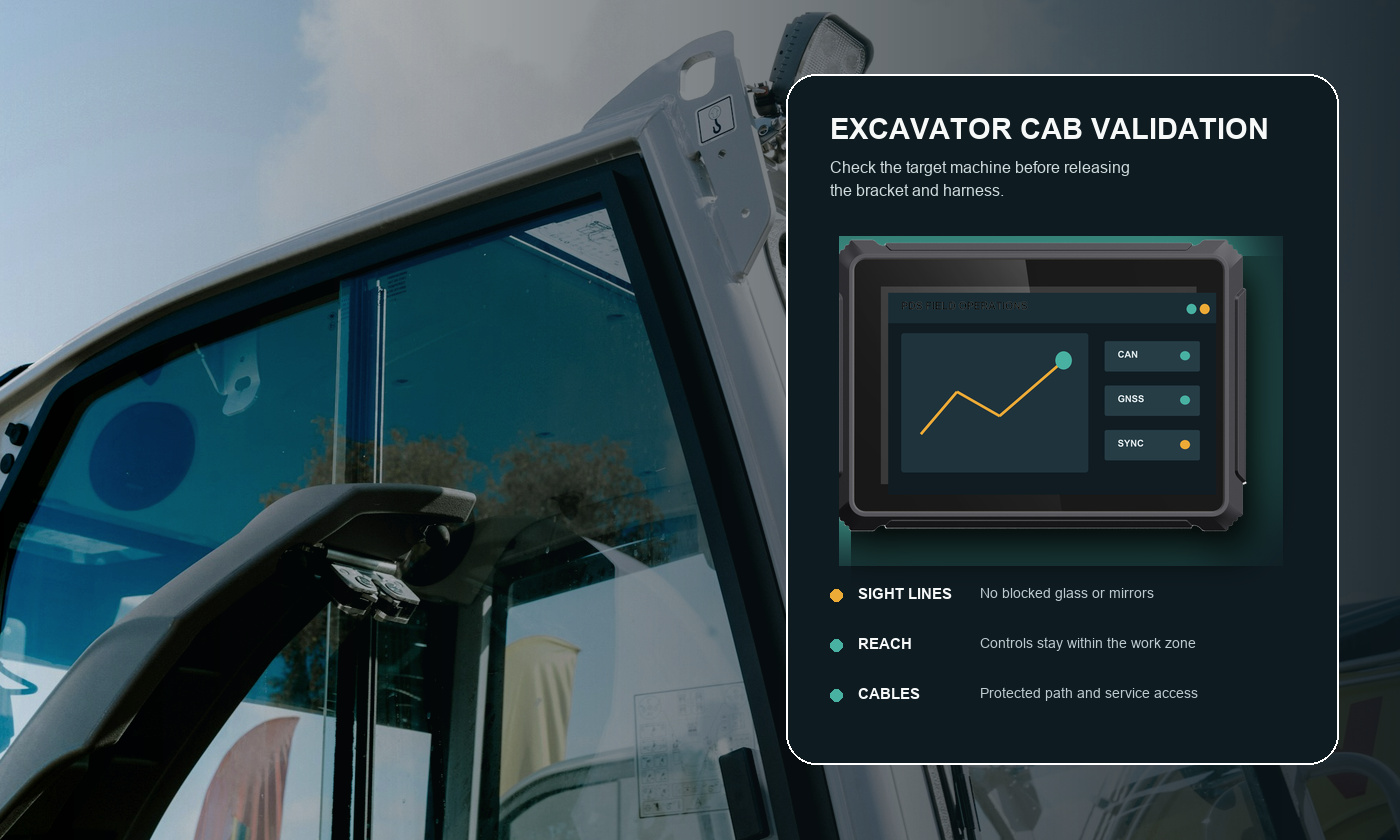
Keep the first requirements workshop practical. Ask the operator where a display can be mounted without blocking the boom, mirrors, or window. Ask the service technician where a harness can be reached. Ask the software team which interfaces and OS version are already supported. These answers narrow the hardware choice quickly.
2. Key specifications for a rugged computer for excavator use
Display size and readability
An 8-inch display is a strong starting point where the cab is tight and the application has a focused layout. A 10.1-inch display gives cameras, maps, and machine data more breathing room. Test the real screens at the planned viewing distance. Check sunlight, reflections, night dimming, touch targets, gloves, and the movement of the operator's hand while seated.
Environmental and mechanical protection
Review ingress protection, operating temperature, storage temperature, vibration, shock, connector retention, and bracket stiffness. PDS T8Pro and T10Pro list IP66 protection, -20°C to +70°C operation, MIL-STD-810 vibration, and ISO 16750 impact references. Ask which exact configuration was tested and whether all connectors were mated.
The housing is only one part of the installation. A loose bracket makes a good display hard to read. An unsupported harness can pull on a connector for thousands of swing cycles. Route cables away from pedals, hot surfaces, sharp edges, moving joints, and high-current wiring. Provide strain relief near the terminal.
Vehicle power
A rugged vehicle computer for construction equipment should tolerate the machine's real power behavior. PDS T8Pro and T10Pro specify 9–36V DC input, but the project still needs defined B+, ACC, ground, fuse, shutdown delay, and standby-current requirements. Test cranking, rapid key cycles, low voltage, jump-start conditions within the project limit, and immediate restart after key-off.
CAN, serial, Ethernet, USB, and GPIO
Do not buy a port label. Buy the electrical and software behavior behind it. For CAN, document channel count, bitrate, termination, isolation, database ownership, diagnostic messages, and recovery after bus-off. For RS232 or RS485, define voltage, baud rate, protocol, cable length, and pinout. For Ethernet and USB, decide what connects, how the port is sealed, and how service access is controlled.
Cameras and blind-spot coverage
Walk around the excavator with the boom in representative positions. Mark the areas hidden from the seat and the moments when each view matters. Then select camera count, lens angle, mounting points, video standard, cable route, and trigger logic. A four-channel system is useful only if the application presents the right view promptly and reports a failed camera clearly.
GNSS and communications
GNSS can support location, geofencing, work-area records, and dispatch. Optional RTK belongs in projects that truly need higher-precision position or machine guidance. 4G, Wi-Fi, and Bluetooth support site connectivity, but offline operation should be designed from the start. Define local storage, retry logic, timestamps, and duplicate handling.
3. Excavator computer comparison checklist
| Item | Evidence to request | Pilot test |
|---|---|---|
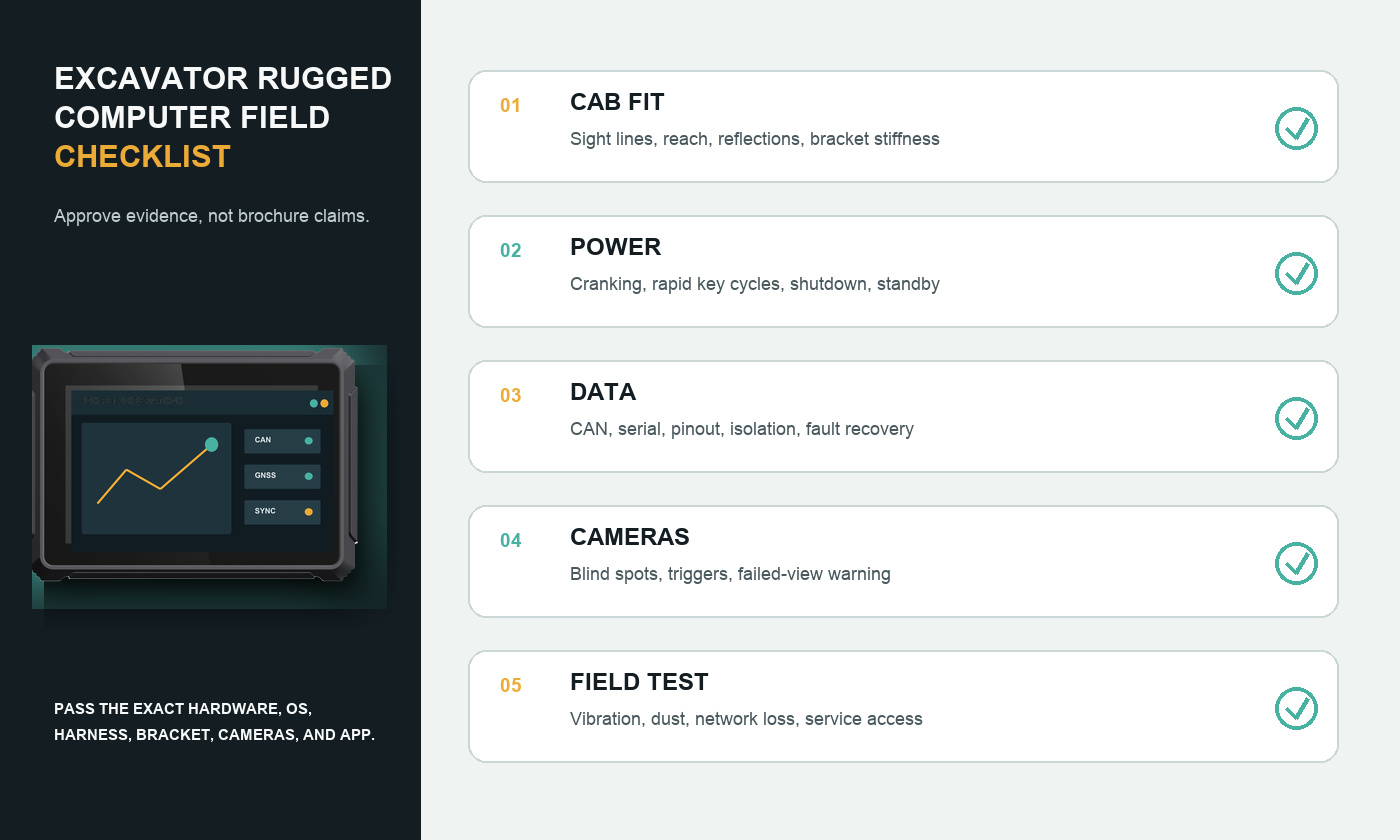
| Cab fit | Dimensions, bracket drawing, connector clearance | Check sight lines, reach, reflections, and service access |
| Ruggedness | IP, temperature, vibration, shock, and configuration scope | Run on rough ground, inspect bracket and connectors after the shift |
| Power | Input range, ACC behavior, protection, standby current | Cold start, crank, rapid key cycle, controlled shutdown |
| Vehicle data | CAN/serial channel details, pinout, protocol support | Disconnect and restore each bus; verify alarms and recovery |
| Cameras | Channel count, format, resolution, connectors, triggers | Test every blind spot in daylight, dust, and low light |
| Connectivity | Regional modem bands, antenna plan, GNSS option | Lose and restore coverage; check queued uploads |
| Software | OS image, drivers, update and recovery method | Run the production app, cameras, maps, and logging together |
Score every candidate against the same checklist. A feature should not receive full credit because it appears in a brochure; it should receive credit when the supplier provides usable evidence and the pilot behaves as expected. This makes an OEM rugged vehicle computer comparison fair even when interface combinations differ.
4. Recommended PDS configurations to evaluate
PDS T8Pro suits excavators where cab space is limited but the project still needs strong processing, vehicle data, cameras, and connectivity. It uses an 8-inch 1280×800 display, Android 11/13, 4GB memory, 64GB storage, and configurable I/O combinations. Options include four cameras, dual CAN, serial interfaces, GPIO, and RTK.
PDS T10Pro is the larger-screen alternative for complex layouts or multi-camera work. It uses a 10.1-inch 1280×800 display, Android 11/13, 4GB memory, and 64GB storage. The listed default interface combination includes four cameras, two CAN channels, and two RS232 ports, with optional RTK and radio configurations.
PDS T8 is worth reviewing for a more focused monitoring or telematics application. Its listed configuration includes an 8-inch display, Android 10, 4GB/64GB, GNSS, CAN, RS485, Ethernet, a camera input, 9–36V DC input, and IP66 protection.
These are starting points, not universal bills of materials. Ask PDS to confirm the processor, OS build, memory, storage, modem region, GNSS or RTK option, I/O combination, camera standard, harness, bracket, and connector pinout in the quotation.
5. A practical excavator pilot
Select at least one representative machine and install the production-intent bracket, harness, antennas, and cameras. Load the real software image and data set. A pilot with a demo app or temporary cable can answer the wrong questions.
Run the excavator through a normal shift. Include key-on, cranking, warm restart, digging, swinging, travel, reversing, network loss, camera switching, CAN interruption, and key-off. Have an operator use the screen with normal gloves and lighting. Ask a technician to remove and reinstall the terminal using the intended service process.
Record failures with time, machine state, software version, and wiring details. Then repeat the test after corrections. Freeze the hardware BOM, OS image, application version, harness drawing, bracket drawing, and acceptance limits only after the same configuration passes.
6. OEM/ODM questions before purchase
- Which parts of the hardware and enclosure can be customized, and which changes require new validation?
- Can the supplier provide a controlled OS image, driver list, recovery package, and update process?
- Will the production harness match the approved pinout and cable drawing?
- How are component substitutions communicated and approved?
- What are the sample lead time, minimum order quantity, production lead time, and service process?
- Which test reports and inspection records apply to the final quoted configuration?
A reliable rugged vehicle computer supplier in China should be able to answer these questions in writing. Clear configuration control protects both sides when the excavator program moves from a few pilot units to a fleet rollout.
Frequently asked questions
What screen size is best for an excavator?
Eight inches works well in a restricted cab or for a focused application. A 10.1-inch screen helps when maps, machine values, and several camera views must share the display. Confirm with the real interface in the actual cab.
Does an excavator computer need RTK?
Not always. Standard GNSS may be enough for fleet location and general geofencing. RTK is relevant when the workflow needs higher-precision positioning, guidance, or measurement. Define the accuracy, correction source, antenna placement, and loss-of-correction behavior first.
How should buyers evaluate anti-vibration claims?
Request the test method, limits, axes, duration, mounting method, and configuration scope. Then run the production-intent terminal, bracket, and harness on representative excavators and inspect them after rough operation.
Buy against the excavator, not a generic datasheet
The best rugged computer for an excavator fits the cab, matches the vehicle interfaces, presents cameras and alarms clearly, survives the power sequence, and keeps essential work moving offline. A disciplined pilot turns those requirements into evidence before the fleet depends on the system.
Explore the PDS construction and mining solution, compare 8-inch rugged terminals and 10-inch vehicle computers, or contact PDS Technology with your excavator model, application, I/O, cameras, and mounting constraints.
Contact us
📧Email:[email protected]
📞Tel:+86 13421822024
🌐Website: www.szpds.com
Disclaimer
The information in this article is for reference only. PDS Technology Co., Ltd. assumes no responsibility for errors, omissions, or suitability of the content for specific applications. Product specifications are subject to change without notice. Buyers should verify all technical details with our team before use.
About PDS Technology
PDS Technology is a leading OEM/ODM manufacturer of high-precision RTK GNSS terminals and vehicle computers, serving agriculture, construction, mining, taxi, and logistics industries since 2011.
With 15+ years of automotive-grade R&D experience, we offer rugged, multi-OS (Android/Linux/OpenHarmony) devices featuring RTK centimeter-level positioning, IP66 protection, and AI-ready performance. Our IATF16949-certified factories have produced over 100,000 units deployed globally, holding 30%+ of China's agricultural auto-steering terminal market. We export to Japan, the US, UK, Turkey, Russia, and beyond.





