

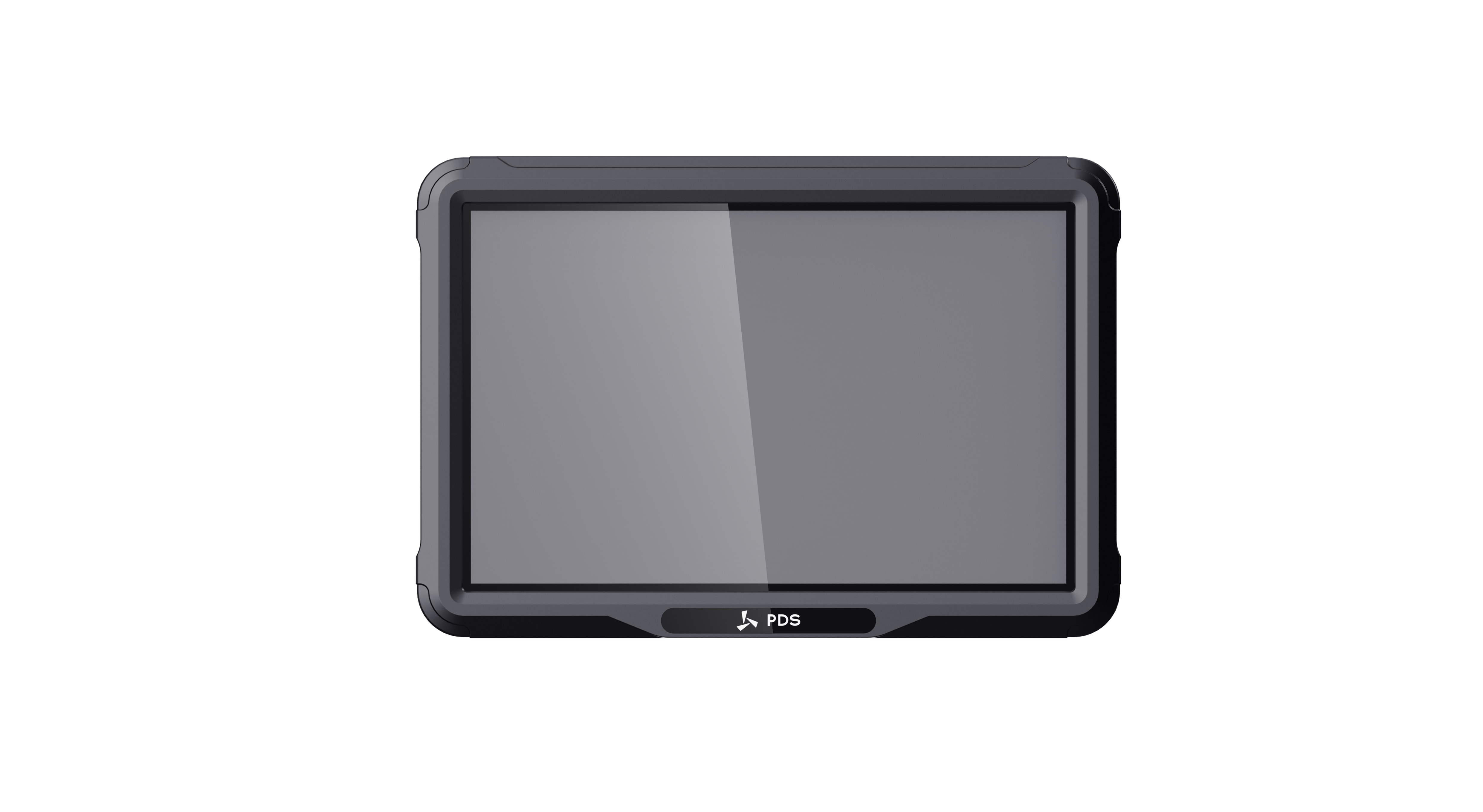
Think of the vehicle-mounted computer as the working dashboard for a digital vehicle project. A courier opens routes and delivery forms on it; a tractor driver watches guidance and positioning status; a mining operator may use the same screen for cameras, alarms, and machine data. Although the enclosure resembles a thick tablet, planning the installation feels much more like adding a small industrial control system.
This guide explains the features, applications, and buying decisions for a vehicle mounted computer, with PDS model examples from published specifications.
What a vehicle-mounted computer does
A vehicle-mounted computer is a fixed or semi-fixed computing terminal designed to operate in a vehicle or mobile machine. It commonly combines a display, touch panel, processor, storage, wireless communication, vehicle power input, external interfaces, antenna connections, and a sealed enclosure.
Unlike a consumer tablet placed in a holder, a purpose-built unit is planned around the vehicle. Depending on the job, the harness might carry CAN data, serial signals, cameras, Ethernet, antenna connections, or sensor inputs. Meanwhile the enclosure and power circuit have to cope with rough roads, dirty cabs, summer heat, ignition changes, and years of daily handling.
Common applications
In the tractor cab
A tractor display may devote half its screen to a guidance line and the rest to implement status, steering state, or a rear camera. Mapping and location reporting can work with standard GNSS. Auto-steering usually pushes the project toward RTK corrections and much tighter accuracy. CAN or serial wiring then links the display with steering hardware and other machine systems.
On construction and mine sites
Dust, vibration, blind spots, and long shifts shape these installations. One screen may need to keep a camera view open while showing dispatch instructions or machine status. When the operator must watch several items together, the extra area of a larger display starts to earn its place in the cab.
During a fleet route
A delivery driver may move between navigation, messages, inspections, and proof of delivery dozens of times in one shift. In that setting, dependable cellular service and an uncluttered application matter more than an impressive benchmark score. The mount also has to keep the screen reachable without becoming a distraction.
Buses, taxis, and warehouse vehicles
Bus and taxi terminals may connect to dispatch, cameras, navigation, and driver systems. Forklift terminals support warehouse tasks, scanning, and inventory movement. Both applications value reliable networking, compact mounting, rapid startup, and controls that remain clear during repeated daily use.
Feature 1: screen size, brightness, and touch design
Screen size should follow the information density and the available mounting area. Seven inches can be enough for one focused workflow in a narrow cab. Eight inches leaves a little more breathing room without dominating the dashboard. Ten or twelve inches makes sense when maps, guidance, cameras, and machine data must share the screen.
A high brightness number does not guarantee a readable screen. Put the finished application in direct light and look at its contrast, viewing angle, colors, touch response, and actual mounting angle.
PDS examples include:
- T7: 7-inch 1024 × 600 IPS display, published brightness of at least 750 cd/m², and five front buttons.
- T10Pro: 10.1-inch 1280 × 800 IPS display with full lamination and published brightness of at least 500 cd/m².
- T12: 12.1-inch 1280 × 800 IPS display with published brightness of 750 nits.
Feature 2: Android, Linux, and application ownership
Android is commonly selected for touch-first fleet applications, forms, navigation, communication, and projects that already have a mobile development team. Linux often suits dedicated HMI systems, background services, machine integration, and projects managed by embedded engineers.
Ask a blunt ownership question: who fixes the software two years after launch? That team should confirm the OS version, framework, update path, kiosk settings, startup sequence, hardware permissions, and support window. It should also run the real application on the selected model before the hardware is approved.
The PDS T7 offers Android 10 or Linux 4.9 with QT5. The T12 offers Android 13 or Linux kernel 5.15 with QT5.15. The T10Pro is an Android 13 platform using a Qualcomm QCM6125 processor.
Feature 3: vehicle power and controlled shutdown
A vehicle-mounted computer should not be treated like an office device connected to a stable adapter. The vehicle may produce voltage drops during cranking, surges from electrical equipment, rapid ignition changes, and long periods of battery operation.
Confirm input range, ignition sensing, startup delay, shutdown delay, reverse-polarity protection, transient testing, and the supplied cable. Define how the application saves data when the vehicle is switched off. A reliable hardware input is not enough if the software database is repeatedly interrupted during writing.
PDS T7, T10Pro, and T12 models publish 9–36V DC input. The T7 and T12 pages reference ISO 7637-II vehicle power requirements. The actual vehicle and cable configuration should still be included in pilot testing.
Feature 4: CAN, serial, Ethernet, and USB interfaces
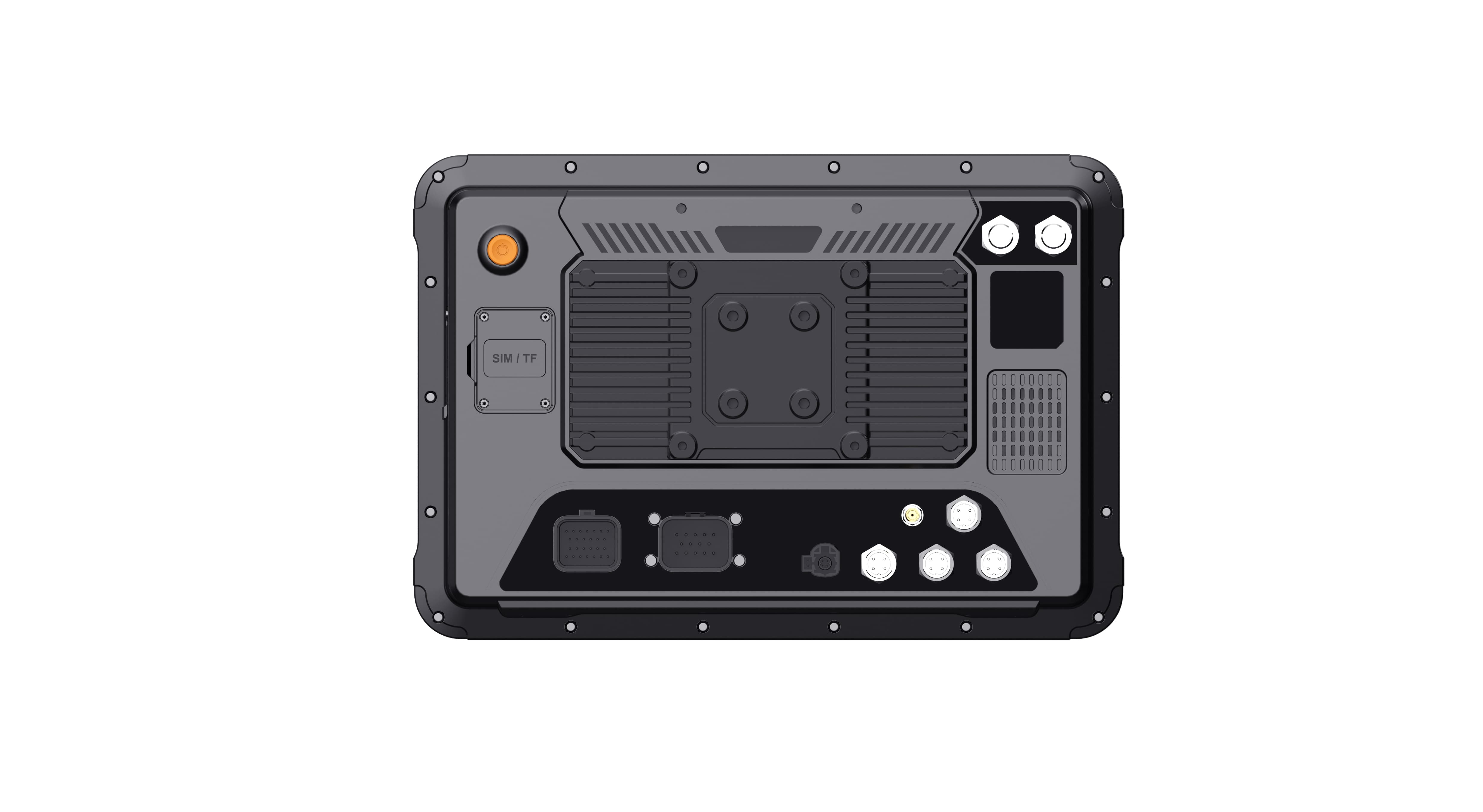
Interfaces connect the terminal to the job. CAN Bus may carry vehicle or implement data. RS232 can connect legacy devices, while RS485 is used for longer-distance or multi-device industrial communication. Ethernet may connect cameras, controllers, or service tools. USB can support debugging, storage, scanners, and peripherals.
Do not count ports without confirming protocols and simultaneous use. CAN networks may run at different bitrates, connectors may share optional functions, and serial equipment may require a specific cable. The supplier, software developer, and integrator should review one interface document.
The PDS T12 publishes two CAN networks, RS232, RS485, Ethernet, USB, TF card, SIM, and configurable extension combinations. This makes it a useful starting point for applications that combine vehicle data with cameras and positioning.
Feature 5: cameras and video workload
Cameras can support reversing, blind-spot visibility, machine monitoring, driver safety, recording, and remote review. Specify the camera type, resolution, channel count, connector, preview layout, recording requirement, frame rate, and storage duration.
Showing one live camera is a lighter workload than previewing four channels while recording, running navigation, processing CAN data, and communicating over 4G. Test the full combination. The PDS T10Pro publishes simultaneous four-channel 720P recording, while the T12 publishes up to four 1080P camera previews.
Feature 6: GNSS and RTK positioning
Tracking a truck on a map does not demand the same positioning system as steering a tractor along a repeatable line. The first job may be satisfied by standard GNSS. The second can require RTK corrections and centimeter-level results. Even then, the receiver inside the terminal is only one piece of the positioning chain.
The buyer must also plan the GNSS antenna, correction-data source, cellular or radio communication, coordinate settings, status display, controller interface, and operation when correction data is unavailable. The T8, T10Pro, and T12 product pages describe optional RTK capability. The T10Pro also supports an optional radio module for receiving corrections where a 4G network is unavailable.
Feature 7: environmental protection and mechanical design
IP66 answers the dust-and-water question, not the whole environmental question. Temperature, vibration, shock, bracket stiffness, connector retention, and cable strain still need their own review. It is worth asking whether the tested setup used the same connectors and accessories planned for the vehicle.
The PDS T7 lists IP66, a -20°C to +70°C working range, MIL-STD-810 vibration testing, and ISO 16750 impact testing. The T12 lists IP66, MIL-STD-810G vibration and shock testing, and the same published operating-temperature range. Project-specific certification requirements should be confirmed before ordering.
Which PDS model is a practical starting point?
| Model | Typical reason to shortlist it | Published highlights |
|---|---|---|
| T7 | Limited cab space or a focused operator workflow | 7-inch display, Android/Linux, five buttons, IP66, optional high-precision positioning |
| T8 | Balanced display size for mixed fleet and off-highway projects | 8-inch format, Android, IP66, optional built-in RTK positioning |
| T8Pro | Compact high-performance Android applications | Qualcomm QCM6125, up to 8GB + 128GB, four 720P camera channels, optional RTK |
| T10Pro | Mid-size camera, RTK, and Android workloads | 10.1-inch display, Android 13, four-channel recording, optional RTK and radio |
| T12 | Large-screen guidance, machine integration, or multi-camera display | Android/Linux, four 1080P previews, two CAN networks, serial and Ethernet interfaces |
Use the table to begin a technical discussion. Final memory, storage, LTE bands, positioning, cables, bracket, connectors, and software image must still be selected.
A buyer checklist for the first supplier meeting
- Vehicle and machine types, including model years and electrical system.
- Mounting drawing, available space, viewing distance, and bracket preference.
- Required screen size, brightness, touch behavior, and physical buttons.
- Android or Linux application, version, developer, and update plan.
- CAN, RS232, RS485, Ethernet, USB, GPIO, and other interface requirements.
- Camera type, resolution, channel count, preview, recording, and storage.
- GNSS accuracy, RTK corrections, antennas, and positioning output.
- 4G destination countries and required operator bands or certifications.
- Temperature, dust, water, vibration, shock, and certification requirements.
- Pilot quantity, production forecast, target schedule, and OEM/ODM changes.
Test a complete vehicle, not a loose sample
A desk test proves that the screen turns on. A useful pilot proves that the installed system survives the work. Use the final bracket and cable. Connect every camera and controller. Run the production application. Repeat engine starts. Interrupt cellular coverage and positioning corrections. Test hot sunlight, rough ground, and an operator wearing gloves.
Record failures and recovery steps before approving a wider deployment.
Questions that come up during selection
Could we simply put a consumer tablet in a bracket?
For a short, light-duty trial, perhaps. The difficulties appear when the project needs direct vehicle power, locking cables, a sealed connection, an external antenna, CAN or serial equipment, or dependable operation through vibration and temperature changes.
What screen size is best?
There is no universal size. Choose 7 or 8 inches for compact mounting and focused tasks. Choose 10 or 12 inches when the interface needs maps, guidance, several cameras, or multiple data panels. Test the actual UI at the planned viewing distance.
Do all vehicle computers include RTK?
No. Many use standard GNSS, and some support an optional RTK module. Confirm the receiver, antennas, correction source, output protocol, and software integration needed to achieve the required accuracy.
Build the specification around the work
The best vehicle-mounted computers are not selected by collecting the longest feature list. They are selected by matching the operator workflow, software, interfaces, positioning, cameras, power, environment, installation, and service plan.
Browse PDS vehicle-mounted computers or contact PDS Technology with your application, vehicle type, screen size, OS, interface list, camera count, positioning requirement, and deployment country.
Contact us
📧Email:[email protected]
📞Tel:+86 13421822024
🌐Website: www.szpds.com
Disclaimer
The information in this article is for reference only. PDS Technology Co., Ltd. assumes no responsibility for errors, omissions, or suitability of the content for specific applications. Product specifications are subject to change without notice. Buyers should verify all technical details with our team before use.
About PDS Technology
PDS Technology is a leading OEM/ODM manufacturer of high-precision RTK GNSS terminals and vehicle computers, serving agriculture, construction, mining, taxi, and logistics industries since 2011.
With 15+ years of automotive-grade R&D experience, we offer rugged, multi-OS (Android/Linux/OpenHarmony) devices featuring RTK centimeter-level positioning, IP66 protection, and AI-ready performance. Our IATF16949-certified factories have produced over 100,000 units deployed globally, holding 30%+ of China's agricultural auto-steering terminal market. We export to Japan, the US, UK, Turkey, Russia, and beyond.





