

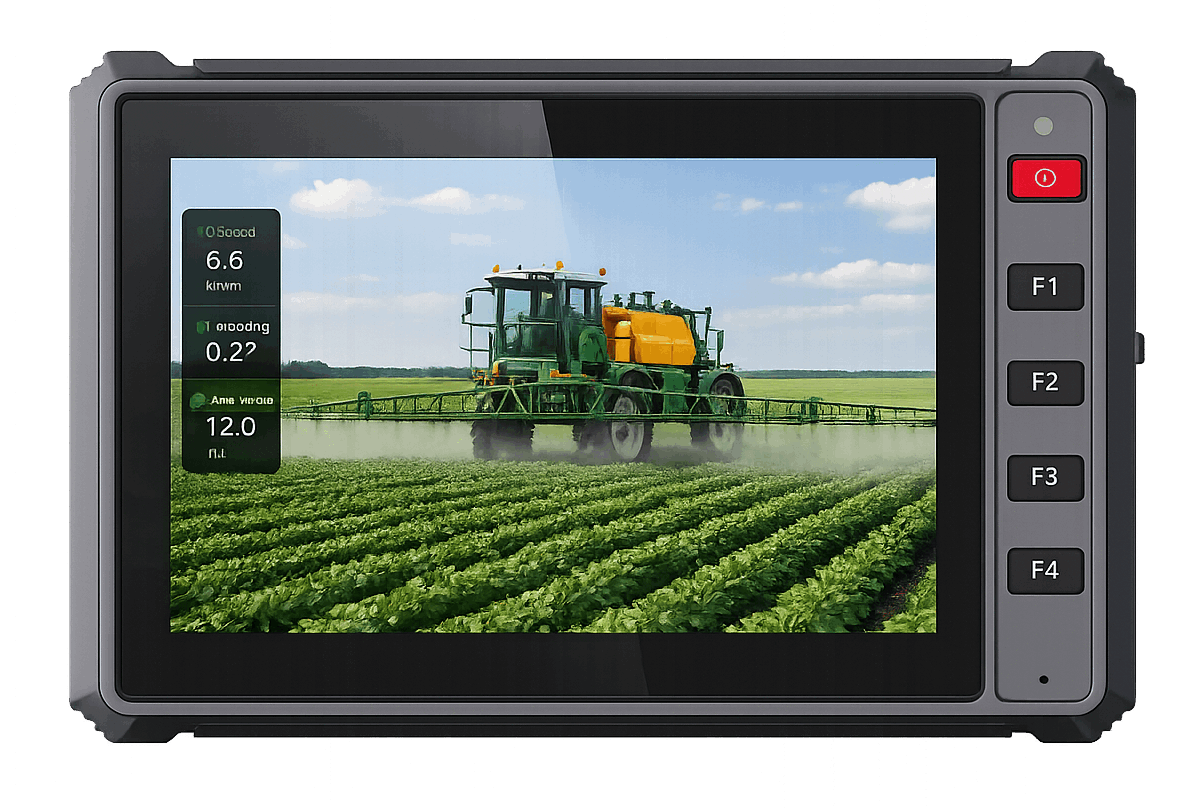
Walk into the cab of a modern tractor, bus, forklift, or excavator and there is often a screen doing far more than navigation. It may read machine data, show cameras, guide an operator, receive dispatch work, or send records back to a platform. When that screen and computer are designed to remain installed in the vehicle, the product is usually described as a rugged vehicle-mounted terminal.
“Rugged” is not just a thick rubber edge. It covers the less visible problems of shaky brackets, dusty connectors, hot dashboards, voltage changes, wet cleaning, and daily handling. “Vehicle-mounted” means the terminal belongs to the wiring and installation, rather than being a handheld tablet carried into the cab for a few hours.
Below is a practical look at what a rugged vehicle mounted terminal contains, how it behaves in the vehicle, and which details deserve attention before a pilot begins.
Start with the hardware inside the enclosure
A typical unit brings the following parts together:
- an LCD display and touch panel;
- a processor, memory, and storage;
- Android, Linux, or another operating system;
- a wide-range DC power input for the vehicle;
- wireless communication such as 4G LTE, Wi-Fi, and Bluetooth;
- GNSS or optional RTK positioning;
- CAN Bus, RS232, RS485, Ethernet, USB, GPIO, or camera interfaces;
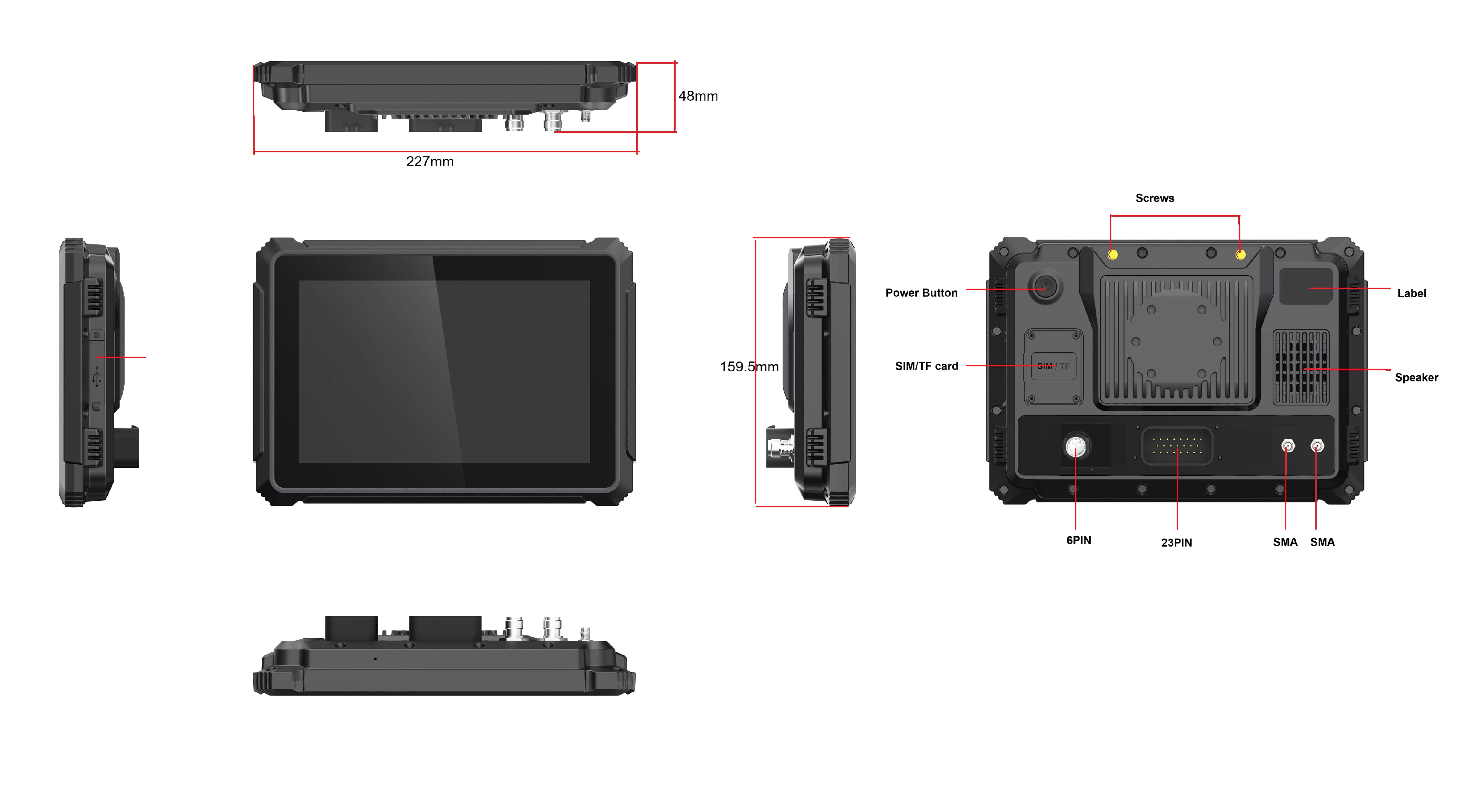
- external antenna connections and locking cable connectors;
- a sealed housing and mounting points.
There is no fixed recipe. Taxi dispatch may put 4G, navigation, and a compact screen first. A tractor project can move daylight readability, RTK, CAN, and physical controls to the top of the list. In a mine, the deciding issue may be keeping several cameras visible through dust and constant vibration.
Why a tablet in a holder is not the same thing
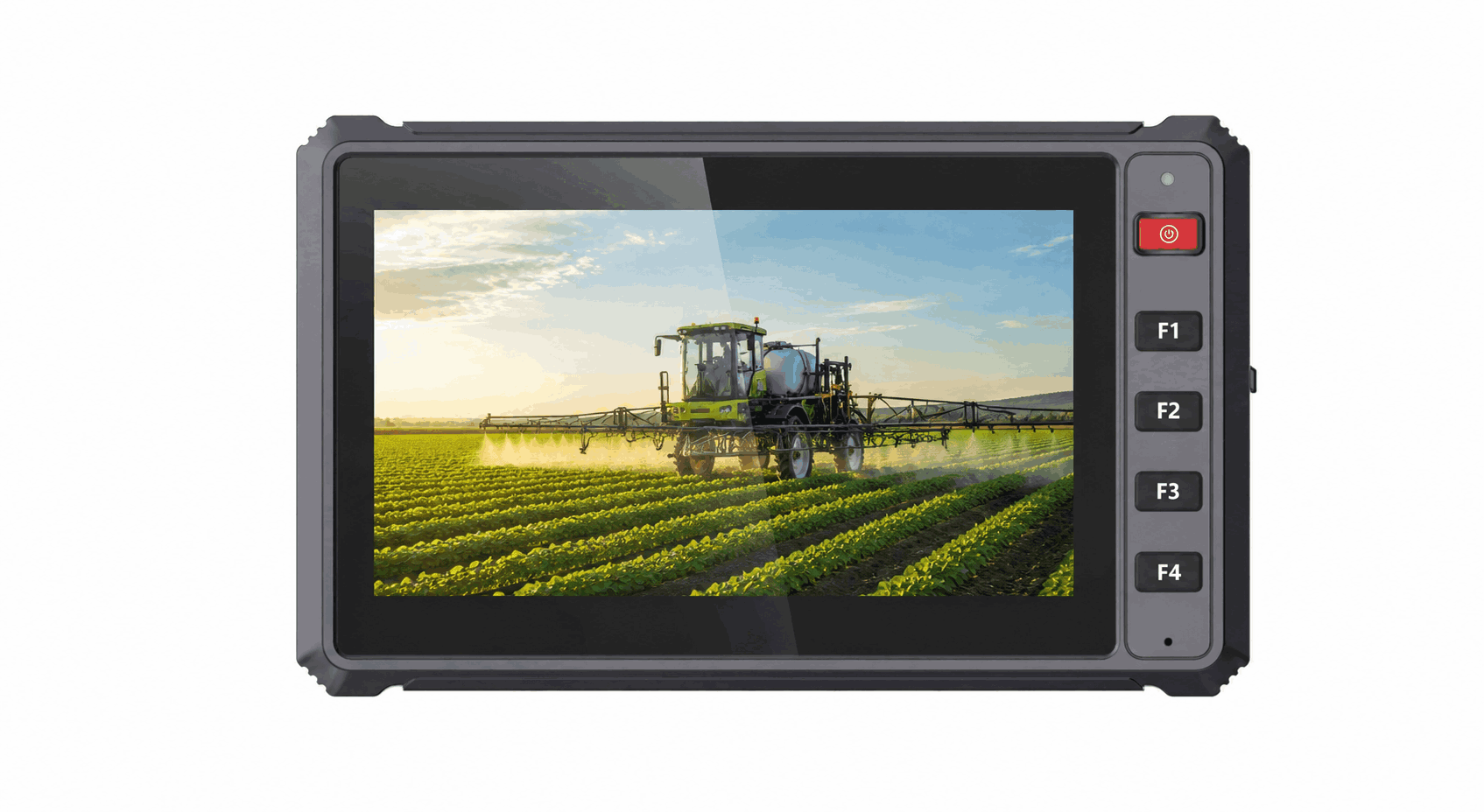
A consumer tablet starts with portability: battery power, USB charging, wireless connections, and exposed ports. That is convenient for a temporary trial. It becomes awkward once the specification calls for ignition control, direct 9–36V power, locking cables, cameras, CAN Bus, serial equipment, external antennas, and a bracket that stays put on rough ground.
A vehicle-mounted terminal is designed as part of the vehicle. The cable harness, power behavior, connectors, antenna location, bracket, and software startup are planned together. It may remain installed for years and must be serviceable by fleet or machine technicians.
| Requirement | Consumer tablet | Rugged vehicle-mounted terminal |
|---|---|---|
| Power | Battery and USB charging | Wide DC vehicle input, ignition behavior, controlled shutdown |
| Mounting | General holder | Fixed bracket designed for vibration and cable retention |
| Interfaces | Mostly USB and wireless | CAN, serial, Ethernet, cameras, GNSS, GPIO, and wireless options |
| Environmental design | Normal consumer use | Dust, water, vibration, shock, temperature, and sunlight requirements |
| Project life | Short consumer replacement cycles | OEM/ODM supply, controlled configuration, and fleet support planning |
How does the terminal work in a vehicle?
The terminal receives power from the vehicle, starts the operating system, launches the required application, and communicates with external equipment. The application may show routes, guidance, machine status, forms, camera images, alarms, or work instructions.
CAN and serial wiring often carry machine information into the terminal, while Ethernet, USB, or a wireless link handle other devices. Positioning may come from ordinary GNSS or an RTK receiver. The application decides whether that information stays on the screen, is written locally, goes to a controller, or travels over 4G to a remote platform.
Good system design also defines failure behavior. What does the operator see if the 4G network disappears? Does the application continue when RTK corrections are lost? Does the screen recover after a camera is disconnected? Is data saved before ignition-off shutdown? These questions are part of how the terminal works, not optional details after hardware selection.
Why vehicle power requires special attention
A vehicle electrical system changes as the engine starts, equipment switches, and the ignition turns off. The terminal may see brief drops or transients that do not occur on a desk power adapter. It needs a suitable input range and a planned startup and shutdown process.
The PDS T7, T10Pro, and T12 publish 9–36V DC input ranges. The T7 and T12 pages also reference ISO 7637-II vehicle power requirements. Buyers should confirm the supplied harness, ignition connection, fuse, and shutdown behavior for the target vehicle.
Reading the IP66 rating correctly
IP66 covers dust ingress and strong water jets under a defined test. That matters on muddy farms, dusty construction sites, wet warehouse yards, and mine equipment. It does not magically seal a loose cable or an uncovered connector after installation.
The final installation should use the correct sealed connectors, caps, antennas, and cable routing. An unused port left open can undermine the protection provided by the enclosure. Buyers should ask whether the tested configuration matches the cables and accessories included in their project.
The ratings behind rough-road operation
Vehicles create continuous low-level vibration, occasional impacts, and temperature changes that affect displays, connectors, solder joints, storage devices, and brackets. Test standards provide a repeatable way to describe part of this environment, but the test level and method must match the project.
The PDS T7 specification lists a -20°C to +70°C working range, MIL-STD-810 vibration testing, ISO 16750 impact testing, and IP66 protection. The T12 lists the same published working range, IP66, and MIL-STD-810G vibration and shock testing. Request the relevant documents if a tender or certification process depends on a specific standard.
What can it connect to?
A rugged terminal can become the information hub inside a vehicle. Common connections include:
- vehicle ECUs and implements through CAN Bus;
- legacy controllers, printers, scales, or sensors through RS232;
- industrial devices through RS485;
- rear, side, cabin, or machine cameras;
- GNSS and RTK antennas;
- 4G LTE, Wi-Fi, Bluetooth, and Ethernet networks;
- USB storage, scanners, and service tools;
- GPIO or custom controls through an extension harness.
The interface list should be reviewed with the software developer. A physical connector does not guarantee that the required driver, protocol, bitrate, or simultaneous workload is supported.
Standard GNSS and RTK are not the same
Standard GNSS is commonly used for navigation, tracking, dispatch, and basic location reporting. RTK uses correction data to achieve much higher positioning accuracy when the receiver, antennas, correction source, and software are configured correctly.
RTK is relevant to tractor auto-steering, precision agriculture, grading, machine guidance, and other applications where meter-level location is not sufficient. The terminal must show positioning status clearly and define what happens when correction data is interrupted.
The PDS T8 supports an optional built-in centimeter-level RTK module. The T10Pro supports optional RTK and an optional radio module for receiving corrections where 4G is unavailable. The T12 also supports optional RTK positioning and external high-precision GNSS antennas.
Where are rugged vehicle terminals used?
Agriculture
Guidance, auto-steering, field mapping, implement monitoring, cameras, and machine data. High-brightness displays, RTK options, CAN communication, and glove-friendly controls are common requirements.
Construction and mining
Machine monitoring, GNSS guidance, dispatch, cameras, alarms, maintenance information, and communication in dusty, high-vibration environments.
Fleet and logistics
Routes, driver messaging, proof of delivery, inspections, tracking, camera access, and remote updates. Cellular bands, mounting, and simple user interfaces are important.
Public transportation and taxis
Dispatch, navigation, driver identification, passenger information, cameras, fare-related systems, and communication. Compact terminals can fit crowded dashboards.
Warehouses and forklifts
Warehouse management, scanning, inventory tasks, and vehicle status. The terminal must maintain Wi-Fi connectivity and survive impacts and vibration.
Examples from the PDS product range
| Product | Format | Useful application starting point |
|---|---|---|
| PDS T7 | Compact 7-inch Android/Linux terminal with five front buttons | Taxis, light trucks, compact machines, focused operator applications |
| PDS T8 | 8-inch Android rugged vehicle computer with optional RTK | Fleet, agriculture, construction, and mixed off-highway use |
| PDS T8Pro | Higher-performance 8-inch Android platform | Multi-camera, display expansion, RTK, and demanding Android applications |
| PDS T10Pro | 10.1-inch Android 13 terminal with camera and RTK options | Agricultural guidance, engineering vehicles, and video-rich workflows |
| PDS T12 | 12.1-inch Android/Linux terminal with broad vehicle interfaces | Large-screen guidance, machine integration, and four-camera viewing |
The right model depends on the final operating-system image, memory, storage, camera configuration, cellular market, positioning module, harness, bracket, and certification requirements.
What should a buyer send to the manufacturer?
A clear request saves time and produces a more accurate quotation. Include the vehicle type, application description, screen size, OS and version, software owner, CAN and serial requirements, cameras, GNSS accuracy, 4G destination countries, mounting drawing, environmental conditions, pilot quantity, production forecast, and required delivery date.
If customization is expected, identify it early. Logo printing, cable length, connector pinout, bracket design, buttons, firmware, operating-system image, enclosure details, and application integration can affect sample timing and validation.
Questions buyers raise during early discussions
Is this simply another name for a rugged tablet?
Not always. Some products use similar displays and enclosures, but a vehicle-mounted terminal is designed around fixed power, brackets, ignition behavior, external antennas, locking connectors, and vehicle interfaces. A handheld rugged tablet prioritizes portability and battery operation.
Does every terminal need CAN Bus?
No. A dispatch or navigation terminal may not need CAN. Agricultural, construction, mining, and machine-control projects often use it. Confirm the required channel count, bitrate, protocol, and isolation.
Can one terminal show four cameras?
Some models can. The PDS T10Pro publishes four-channel 720P recording, and the T12 publishes up to four 1080P camera previews. Confirm camera compatibility, recording requirements, storage, application layout, and simultaneous processing load.
A terminal is one part of the complete system
A rugged vehicle-mounted terminal brings the screen, computer, power input, interfaces, and enclosure into one device, but the successful project also depends on software, harnesses, antennas, cameras, brackets, controller protocols, and field support. Select and test them together.
View the PDS vehicle computer range or contact PDS Technology with your vehicle and application requirements for an OEM/ODM project discussion.
Contact us
📧Email:[email protected]
📞Tel:+86 13421822024
🌐Website: www.szpds.com
Disclaimer
The information in this article is for reference only. PDS Technology Co., Ltd. assumes no responsibility for errors, omissions, or suitability of the content for specific applications. Product specifications are subject to change without notice. Buyers should verify all technical details with our team before use.
About PDS Technology
PDS Technology is a leading OEM/ODM manufacturer of high-precision RTK GNSS terminals and vehicle computers, serving agriculture, construction, mining, taxi, and logistics industries since 2011.
With 15+ years of automotive-grade R&D experience, we offer rugged, multi-OS (Android/Linux/OpenHarmony) devices featuring RTK centimeter-level positioning, IP66 protection, and AI-ready performance. Our IATF16949-certified factories have produced over 100,000 units deployed globally, holding 30%+ of China's agricultural auto-steering terminal market. We export to Japan, the US, UK, Turkey, Russia, and beyond.





