
Choosing a 7 inch vs 10 inch tractor display can look straightforward on the desk, yet either size can be too large at the proposed cab mount.
Put a full-size outline there, then adjust the seat. Can the operator still see the control behind it?
That is a useful finding, even before a powered sample is available.
It gives the 7-inch PDS T7 versus 10.1-inch T10 comparison a place to start. The 7 inch vs 10 inch tractor display decision should begin with that installed envelope, before screen specifications take over.
This is a proposed cab review, not a report of a field trial.
Dimensions and model entries come from the October 2026 PDS English Catalog V3.1.
The review still needs the buyer's application and selected accessories.
It does not establish that either terminal works with a particular steering controller or implement.
Begin with two full-size outlines
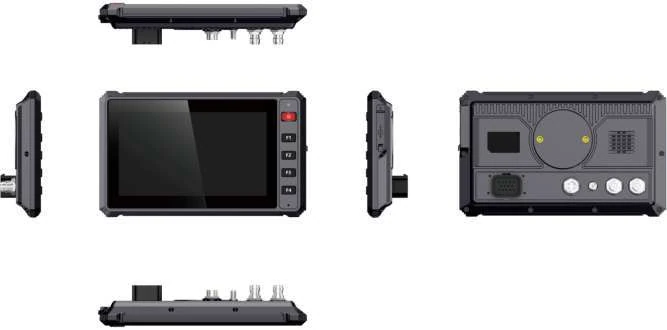
Make the first front outline 221 mm wide and 134 mm high for T7.
On the second sheet, draw a 275-by-190 mm rectangle for T10.
Write the model on each sheet so they cannot be confused in a photograph.
Use the parked, secured machine for the comparison, keeping its safety controls accessible throughout.
The exercise is about the proposed installation, not operating with a paper mock-up in place.
Look beyond the paper. Can the operator still see the control that sits behind it?
Move through the agreed seat positions and note which outline is present at each one.
If a control disappears, photograph that view with its position recorded.
Purchasing can then see why a candidate was rejected. “Too big” on a comparison sheet leaves the next reviewer to discover the obstruction again.
Paper cannot settle the depth question.
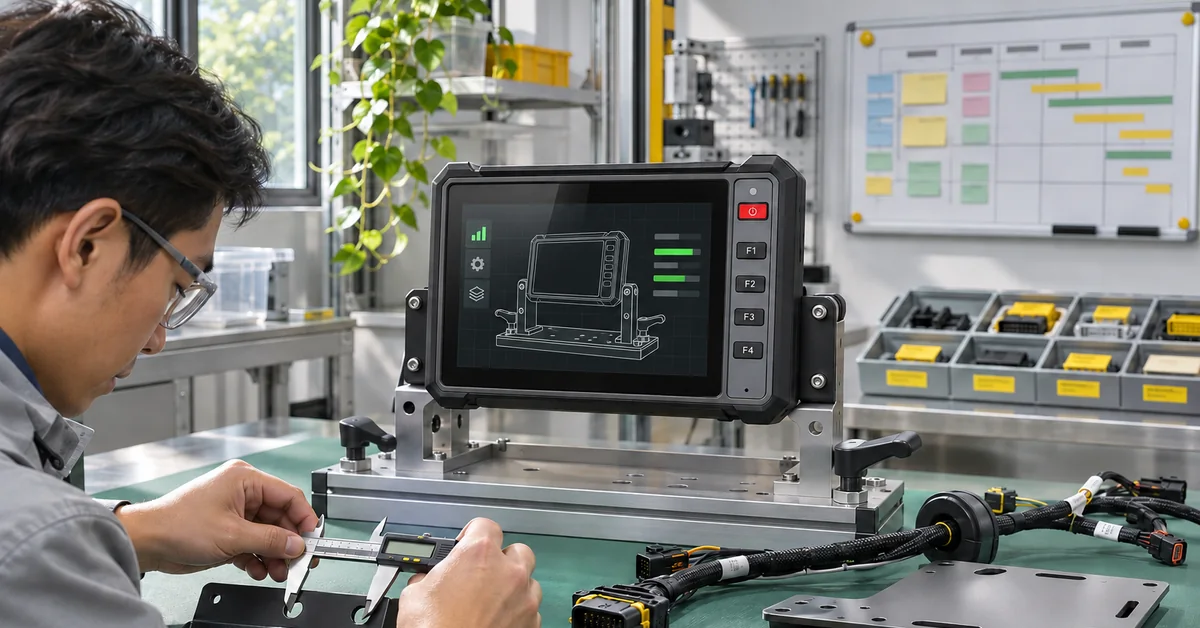
Add the bracket and connector bodies to the drawing, then allow the specified cable bend.
Try reaching the connection as a technician would.
If unplugging means removing the terminal, put that step in the installation plan. It might be an acceptable service arrangement.
It should not be discovered only after the custom harness arrives.
Put the warning over a working map
Suppose the application shows a guidance map, an implement status and a job total.
A warning opens over part of that view. This is a proposed comparison task.
Put that same state on each sample and identify which information the operator loses when the warning appears.
A welcome menu will not reveal the conflict.
The resolution entries are 1024 x 600 for T7 and 1280 x 800 for T10.
On the larger canvas, could the warning sit beside the job total instead of covering it?
Try drawing that state in the application.
The result needs to show the actual text and controls, not empty rectangles with labels.
Only then can the reviewer say what remains visible from the seat.
A second candidate layout might hide a setup panel that is not needed during normal work.
If a layout change makes T7 usable, the size decision has a different answer from a case where both layouts still conceal an essential value.
Save both layouts with their version names.
That keeps a later software improvement from being mistaken for a difference between the two displays.
Keep the model names separate
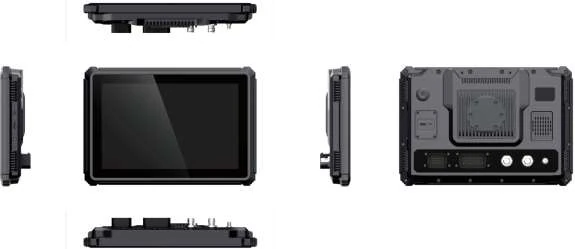
T10 and T10B are not interchangeable names for a large display.
The catalog lists T7 and T10 with Allwinner T507 and Android 10 or Linux options.
T10B uses T527 and appears in a different platform comparison. Write the full name on the sample sheet.
If the box contains a T10B, update the comparison before running it.
Otherwise a different platform can enter the review under the much simpler label “large screen.”
The table gives a compact starting comparison.
Keep a separate response line for the receiver, cameras and connector drawing on the offered unit.
A feature found elsewhere in the catalog does not fill that line.
The supplier needs to identify what accompanies this sample, including the image on which the application will be reviewed.
| Catalog entry | PDS T7 | PDS T10 |
|---|---|---|
| Screen | 7 inches | 10.1 inches |
| Resolution | 1024 x 600 | 1280 x 800 |
| Brightness | 750 nits | 750 nits |
| Housing | 221 x 134 x 44 mm | 275 x 190 x 47.5 mm |
| Net weight listed | 0.6 kg | 1.1 kg |
| Function buttons | Five programmable buttons | No equivalent five-button array listed |
| CAN networks listed | One | Two |
| Input range | 9-36 V | 9-36 V |
Give the T7 buttons an application job
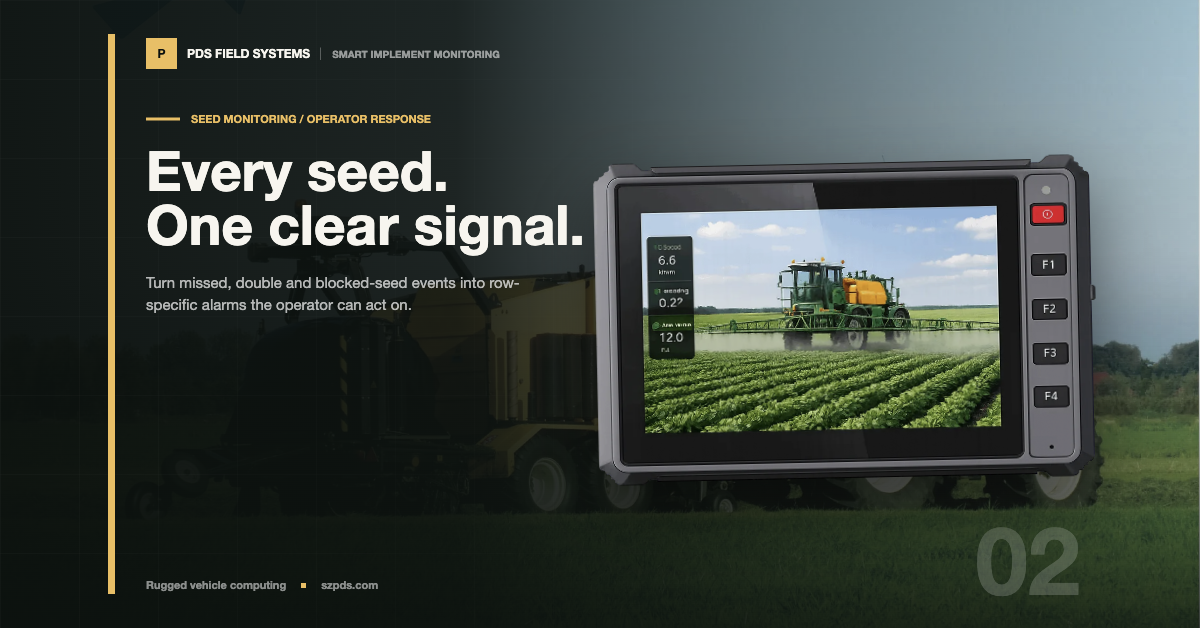
Five programmable buttons are listed for T7. Before treating them as an advantage, choose the action each would perform.
In the example above, perhaps one acknowledges a dialog.
The review then has a specific question: does the press acknowledge the intended dialog, and what does the operator see afterwards?
The example is an application proposal, not a factory button assignment.
Try recovering from the wrong choice too.
In the example, let a press open the wrong dialog, then try returning to the map without losing the job total.
Note what the operator had to do.
Include the specified work gloves in the sample request if that is how the terminal will be used.
A bare-hand result should remain identified as a bare-hand result.
A useful observation is “the warning covers the job total at this seat position.” Follow it with the layout filename, the seat position and the warning that was open.
A colleague can reopen that same state. “T10 feels better” can stay as the operator's preference, but it should not be the only record of what was compared.
Take the comparison into the cab lighting
Both catalog entries list 750 nits.
That shared number does not tell you where the cab glass will reflect onto a particular installation.
With the machine safely parked, look at the value the operator must read.
Change the viewing position through the agreed seat adjustments and note the light condition.
Do not let a clear shaded-bench view stand in for this check.
For night work, review the intended night presentation as well.
If the value is obscured, try to identify what obscures it. Is the cab glass reflected across that location?
Or is the value hard to distinguish even without the reflection? Put those observations on separate lines.
A changed screen layout could improve the second finding while leaving the first unresolved.
Before closing the review, hand the selected terminal and mounting arrangement to the person responsible for the fixing.
The catalog lists 0.6 kg for T7 and 1.1 kg for T10.
The reviewer also needs the bracket, fasteners and fixing location.
Approving the terminal's weight alone would leave part of the installed assembly outside the mounting decision.
My shortlist would favor T7 where the cab space is constrained and the working layout remains readable.
I would keep T10 in the review where the additional area solves a demonstrated information problem and the enclosure fits.
For the final 7 inch vs 10 inch tractor display decision, neither recommendation replaces a sample result.
Send the cab measurements and representative screens through the project contact page, using the PDS product range and buying guide as starting references.
FAQ
When would the larger tractor display earn its space?
When its working layout resolves a visibility problem that matters to the operator, and the installed assembly fits.
Keep the smaller candidate in the review until that difference has been demonstrated.
Does T7 have physical function buttons?
Yes, five programmable function buttons are listed for T7.
Give the button an agreed action in the sample application, then check the press and the on-screen response together.
What changes if the offered sample is T10B?
T10B brings a different processor and platform comparison into the review.
Identify it as T10B on the sample sheet, then agree which application checks need repeating.
What should accompany a sample request?
Cab dimensions, mount constraints, cable access and a representative working layout.
Add the operator task and the specific visibility question the sample must answer.
Contact us
📧Email: [email protected]
📞Tel: +86 13421822024
🌐Website: www.szpds.com
Disclaimer
The information in this article is for reference only. PDS Technology Co., Ltd. assumes no responsibility for errors, omissions, or suitability of the content for specific applications. Product specifications are subject to change without notice. Buyers should verify all technical details with our team before use.
About PDS Technology
PDS Technology is a leading OEM/ODM manufacturer of high-precision RTK GNSS terminals and vehicle computers, serving agriculture, construction, mining, taxi, and logistics industries since 2011.
With 15+ years of automotive-grade R&D experience, we offer rugged, multi-OS (Android/Linux/OpenHarmony) devices featuring RTK centimeter-level positioning, IP66 protection, and AI-ready performance. Our IATF16949-certified factories have produced over 100,000 units deployed globally, holding 30%+ of China's agricultural auto-steering terminal market. We export to Japan, the US, UK, Turkey, Russia, and beyond.