
A drawing arrives after the vehicle computer RFQ checklist has gone out. It shows a different connector. Which quotation still applies?
That small change is a good reason to send an identified project pack, with a revision on its cover and a place for the supplier to list exceptions.
The first pack can be incomplete. It should not be ambiguous about what is missing.
The pack below is for an invented tractor application, not a completed customer project.
Its product references use the October 2026 PDS English Catalog V3.1.
There are no quoted prices or delivery promises in that catalog comparison.
Those belong in the supplier's response to the actual pack.
Use this vehicle computer RFQ checklist to identify every attachment and keep each unknown explicit.
Attachment one: the job on the screen
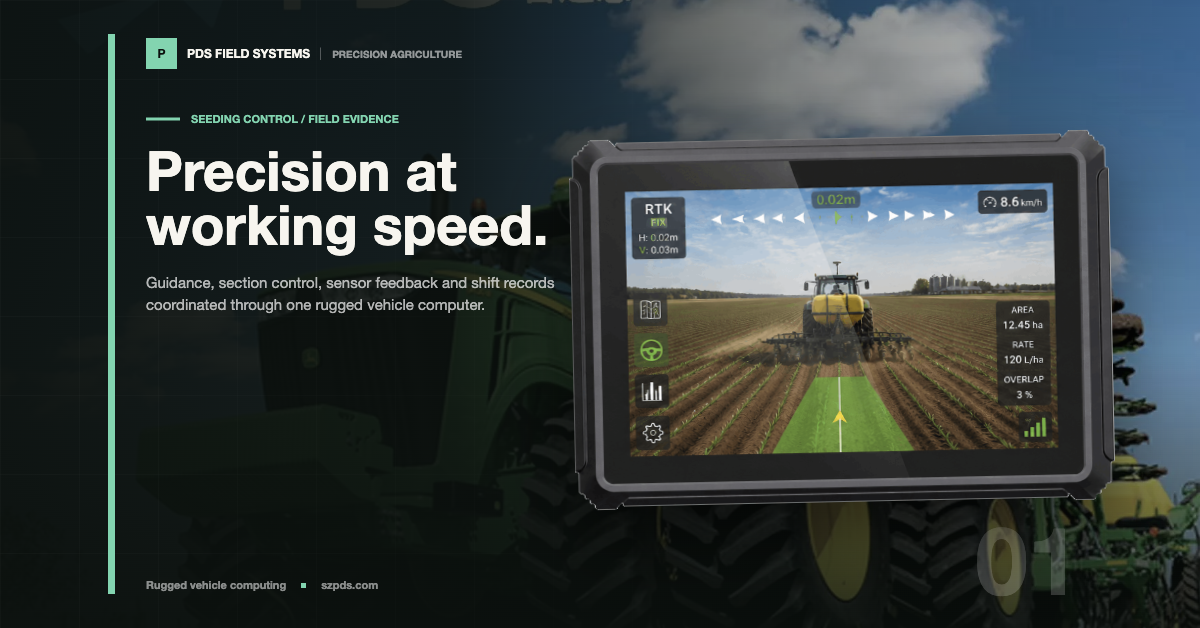
Suppose the operator needs a guidance view, implement status and a saved job record.
Give the example job a name, such as Field-04.
The operator opens Field-04, reads the implement status, completes the assignment and saves it.
Explain where the terminal exchanges data with a controller or server. “Smart farming display” would not tell the supplier any of this.
Add the application screen that contains the most information, with invented records instead of customer data.
Mark the value that must remain visible when a warning opens.
If a physical button is required, name its application action.
The supplier can now ask a specific question about the layout or interface rather than guess what “easy to use” means.
The country and working conditions belong beside the job.
If the buyer needs a particular assessment, name it here and ask which document covers the offered configuration.
A document for another model does not close that line.
Keep it open until the model and options on the document have been checked against the offer.
Attachment two: where the terminal must fit
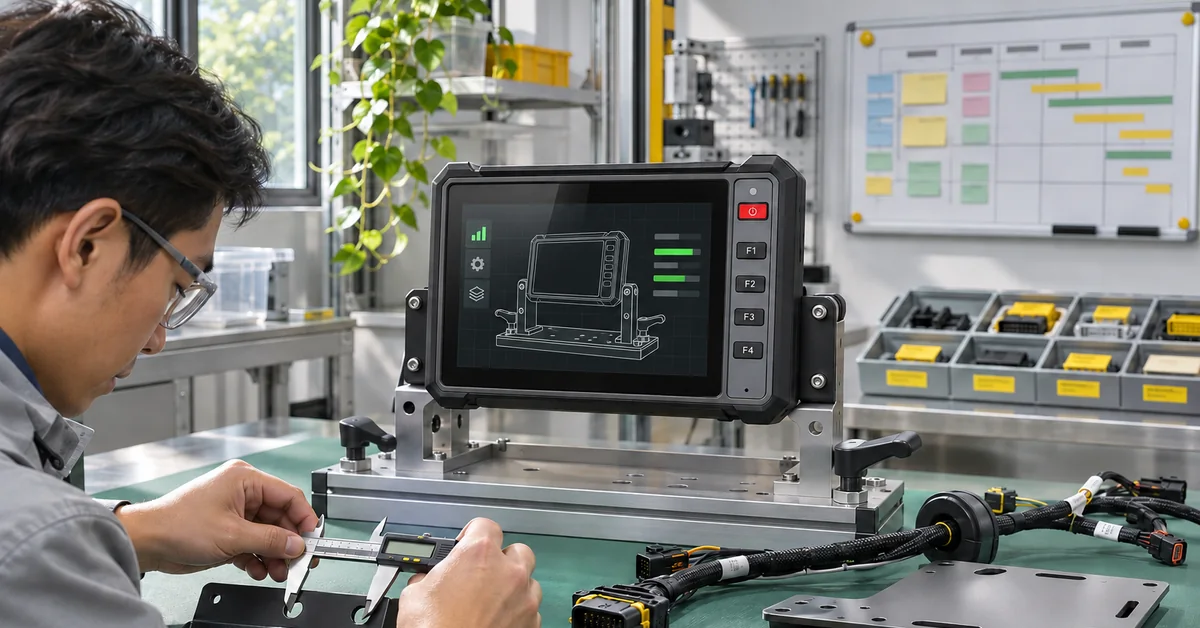
A cab photograph explains the location. A measured drawing explains the space.
Include the two views together, with unrelated people and restricted details removed from the photo.
Put a mark where the terminal will sit.
The drawing can then show what the photo cannot: the available depth, the nearby control and the route out for the cable.
Add the mounting approver's name to the project record.
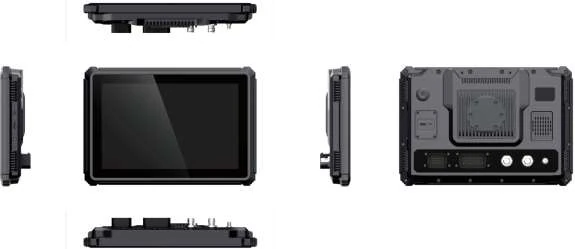
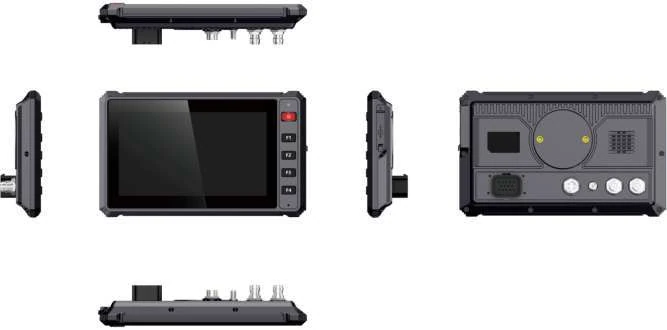
For a first size check, the catalog gives T7 as 221 x 134 x 44 mm.
The T10-series entry is larger, at 275 x 190 x 47.5 mm. These are useful first comparisons.
They do not include every part of the buyer's installation.
Ask for the drawing of the offered unit and add the chosen bracket and connector bodies to it.
Now consider removal.
Can a technician reach the plug at that mounting point, or does the whole bracket have to come off?
Either arrangement needs to be visible in the pack.
Otherwise the supplier may quote exactly the requested cable while the installation team is expecting a connection it can reach from the seat.
Attachment three: the connections, with owners
Give each controller, receiver and camera a row.
For the tractor example, the implement-status row should identify the controller, electrical interface and permitted protocol material.
It also needs the person supplying the message definitions.
A cell containing only “CAN” leaves too many decisions for the quotation stage.
Keep missing details visible. “Controller pinout pending from the vehicle team” gives the supplier an actionable question.
Leave that attachment labelled pending.
Filling the gap with a drawing from a similar-looking connector would turn a visible unknown into an apparently approved input.
The supplier needs to know which one it has received.
For a camera, ask for the required view, format, channel needs and trigger behavior together.
For a receiver, identify the output needed by the application. State what must run simultaneously.
Listing two interfaces independently does not establish that the buyer's actual workload has been validated on the proposed image.
Attachment four: software behavior through the job
Send the application version and dependency list. “Android required” might leave out a native library or background service.
Leave two response fields beside the package: the offered image identifier and the document that explains access to the required interfaces.
The catalog groups T7, T8 and T10 under Android 10 and Linux options.
That grouping does not identify the build that will arrive on the sample.
Return to the sample job. What opens after ignition? What happens to its record when coverage is absent?
What should be visible after an approved shutdown and restart? Writing the expected states makes a sample acceptance conversation possible.
It is more precise than asking whether the terminal supports “stable operation.”
The vehicle electrical team should provide the approved power and protection method.
A catalog input range of 9-36 V is not a wiring design.
The application team can explain the states it needs to observe without supplying an improvised electrical test procedure.
The response table I would send with the pack
Leave a place for exceptions.
If the supplier offers another receiver or image, it should be possible to find that change without comparing two long emails.
The buyer can accept a difference, reject it or ask for more information. Silence should not become approval.
| RFQ item | Buyer attachment | Supplier response requested |
|---|---|---|
| Operator job | Sequence, vehicle types and deployment regions | Named platform and stated assumptions |
| Installation | Envelope, mount, control and cable clearances | Selected drawing and mounting scope |
| Interfaces | Peripheral models, protocol ownership and workload | Included options and integration responsibilities |
| Software | Package, dependencies and required job states | Proposed image, documentation and open questions |
| Customization | Changes against a standard model | Deliverables, exclusions and one-time work |
| Quantities | Sample, initial need and separate forecast | Minimum quantities and shipment conditions |
| Acceptance | Checks, evidence and approval owner | Sample differences and validation scope |
| Support | Service expectations and change process | Support boundary and release handling |
Separate a useful sample from production approval
Suppose a standard unit is available before the custom cable.
It could answer the screen-layout question while leaving the final connection open.
Put “layout review only; cable not final” beside that sample's identifier.
Someone reading the result later can use the layout finding without mistaking it for approval of the finished installation.
Write sample quantity, first production requirement and later forecast on separate lines.
For staged shipments, give the intended release sizes but leave room for the supplier to state the commitment behind them.
What happens to material already reserved if the connector drawing changes?
That question belongs beside the quantities, before the buyer relies on a target shipment date.
Finally, put a revision and date on the pack.
If the controller drawing changes, send the same revised pack to each supplier.
Keep earlier offers apart until they have answered that revision.
A vehicle computer RFQ checklist should make those exclusions visible before two offers are treated as equivalent. A cheaper terminal price does not settle a comparison if one offer excludes the cable or image work the other includes.
For a PDS discussion, choose a starting platform from the product range, review the OEM/ODM scope and send the project pack through the contact page.
Catalog references here use pages 5-10 and 15. Keep confidential protocol files within the project's authorized sharing process.
FAQ
Can the RFQ be sent with some details still unknown?
Yes. Name each unknown and ask what can be quoted provisionally.
Update the same versioned pack when the missing drawing or decision arrives.
Which attachment matters most?
The attachments answer different questions. A workflow cannot replace a pinout, and a pinout cannot explain the installation space.
Send them as one identified project pack.
Where does a later volume forecast go in the RFQ?
On its own line, labelled forecast. The order line should say what the buyer is committing to now.
Ask the supplier to explain any material reservation it wants against the later volume.
How should two offers be compared?
First align the configuration, accessories, software work, validation and support. Resolve exceptions before comparing unit prices as equivalent offers.
Contact us
📧Email: [email protected]
📞Tel: +86 13421822024
🌐Website: www.szpds.com
Disclaimer
The information in this article is for reference only. PDS Technology Co., Ltd. assumes no responsibility for errors, omissions, or suitability of the content for specific applications. Product specifications are subject to change without notice. Buyers should verify all technical details with our team before use.
About PDS Technology
PDS Technology is a leading OEM/ODM manufacturer of high-precision RTK GNSS terminals and vehicle computers, serving agriculture, construction, mining, taxi, and logistics industries since 2011.
With 15+ years of automotive-grade R&D experience, we offer rugged, multi-OS (Android/Linux/OpenHarmony) devices featuring RTK centimeter-level positioning, IP66 protection, and AI-ready performance. Our IATF16949-certified factories have produced over 100,000 units deployed globally, holding 30%+ of China's agricultural auto-steering terminal market. We export to Japan, the US, UK, Turkey, Russia, and beyond.