
Vehicle Computer Integration Problems: OEM Troubleshooting Guide
Most OEM vehicle computer integration problems arrive with a label already attached. CAN is broken. The screen froze. The camera drops.
Replace the unit. I would wait before agreeing to any of that.
A terminal can receive a signal and still fail the operator job.
A camera can work alone and fail in the real combination of storage, modem and application load.
Start with the evidence trail.
It has to connect the vehicle state, the computer build, the harness revision and the operator result.
A fresh replacement erases some of that trail. Keep the faulty state first, then decide what to change.
“The SocketCAN package is an implementation of CAN protocols (Controller Area Network) for Linux.”
The examples below are hypothetical review cases. They are not disguised PDS field reports.
Use the method to frame your own test, not to assume a particular vehicle has the same defect.
Write the system boundary before reviewing the terminal
Take one normal job and list every part that must work. The operator opens a job.
A controller sends vehicle state. A receiver sends position. An application combines both. The result gets stored and later uploaded.
Now put a name beside each hop.
Who owns the message definition? Who built the harness? Which team supplied the Linux image or Android package?
Who can read the log? "Jointly reviewed" sounds friendly, but it usually means nobody owns the next action.
Record the computer model, hardware revision and software build. Add the harness drawing number.
Add peripheral firmware and any configuration file that changes data behavior. Five identifiers save a lot of guessing later.
Our software integration checklist is a useful second pass. It helps separate platform support from application responsibility.
I keep a one-page handoff card for the kickoff. Left side: vehicle controller, receiver, camera, harness and terminal.
Right side: the person who can answer for each one.
The card leaves the room only when every blank has a name and a contact route. It sounds basic.
It also stops the first review call from turning into a search party.
Capture one reproducible symptom
The first line of an issue ticket should make sense to a driver, not only to an engineer.
"CAN does not work" fails that test. "The speed trace stays at 18 km/h after a key cycle" does not.
Here is the whole note I would want: accessory power returns at 09:14:08. The controller test tool shows 42 km/h.
The app still shows 18 km/h for 37 seconds. A manual app restart clears it.
Expected display behavior is written in the job requirement.
One clean pass settles very little when the fault comes and goes.
Count every attempt and keep the failures. "2 bad runs in 12" gives the team a number to work against.
"Sometimes" leaves the next person starting again from zero.
Interface work fails when protocol ownership is incomplete
Matching connectors prove only that two pieces of hardware can be joined.
They do not prove that the electrical path, data format and software permission are complete.
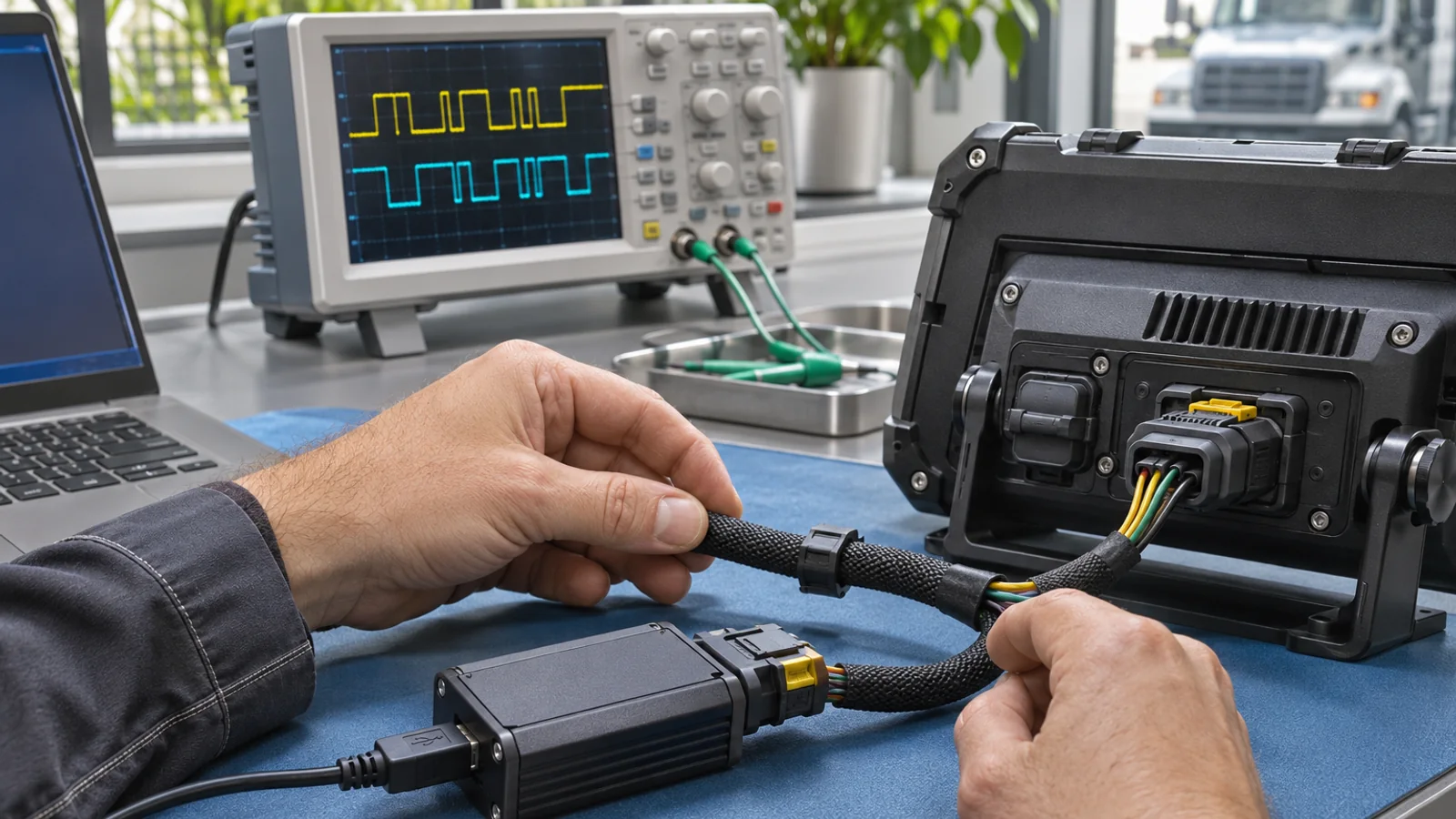
For CAN, I ask for two screens side by side. One shows frames from the test tool.
The other shows the value the app uses.
If those disagree, go through the wiring, termination, bit rate, message file and application call until the gap is explained.
- Serial: exchange one known request and response. Record the electrical level, baud rate, framing and command order.
- USB: pull the device once, then reconnect it. Does the app resume, ignore it, or wait for a reboot?
- Ethernet: keep the link state, address configuration and reconnect time with the test result.
The Linux CAN documentation is helpful for terminology and questions.
Your acceptance evidence still has to come from the supplied BSP and image.
Mainline documentation is not proof that a product image contains the same interface support.
Power faults often appear as software faults
A blank screen after engine crank looks like a display problem. A missing job record looks like a storage problem.
Both can begin in the vehicle power sequence.
Put a known job on screen. Leave unsent data in the queue. Crank the engine using the approved vehicle procedure.
Watch the screen, the receive indicator and the network state. Repeat the normal shutdown too.
The test needs a before-state and an after-state.
Do not confuse "booted" with "recovered."
A terminal may return to the home screen while the operator has lost the active record.
Ask what the application must preserve and who accepted that behavior.
Grounding, fusing, input range and shutdown delay need an electrical owner.
I would not approve a harness because it worked from a bench supply. The engine bay is less polite.
Use a controlled interruption only under the vehicle team's safe procedure.
A homemade voltage dip can damage the sample and produce evidence nobody can repeat.
Peripheral conflicts can look like device instability
Separate-device tests can all pass and miss the fault.
A camera, GNSS receiver, LTE modem and storage device share bandwidth, power and driver time once they run at the same moment.
Run the intended set through startup, steady use, a reconnect and shutdown.
- Video: resolution, format, stream count and time to first frame.
- GNSS: receiver output, correction source and the app's stale-data state.
- Connectivity: modem state before and after the terminal reconnects.
- Discovery order: which device was attached first?
The Android USB host guidance helps scope an Android path. It cannot replace a test on the offered product image.
Separate application defects from platform limits
Put a known test tool beside the application when practical. The tool says 42 km/h. The application says 18.
The interface input is plausible, so parsing, storage or display logic now deserve attention.
If neither the tool nor the app sees the value, move back toward the source system, harness or device configuration.
This comparison is simple, and it prevents a new cable from being ordered for a parsing error.
The same rule works for camera streams and GNSS output.
Observe the input at the lowest practical layer, then compare it with the value used by the operator screen.
Assign each open question to one owner. "Supplier and buyer to review" is not an owner.
It is a meeting title.
Use one evidence table for every project issue
| Layer | Evidence to capture | Typical false assumption | Responsible party |
|---|---|---|---|
| Operator job | Steps, timing, expected result and observed result | A visible button means the data was saved | Product owner |
| Application | Package version, logs and data state | An installed app proves platform compatibility | Software team |
| OS and drivers | Image, kernel or BSP, SDK and configuration | A product-family name identifies the installed build | Platform supplier and software team |
| Device interface | Port, driver, protocol and observed input | A connector and a datasheet prove integration | Hardware and integration teams |
| Harness and power | Drawing, routing, approved procedure and power-state result | A successful bench start proves vehicle behavior | Installer and vehicle electrical team |
| Vehicle source | Controller version, message definition and source state | The terminal should infer an undocumented signal | Vehicle controls team |
Close the issue against an agreed result
| Closure check | Question to answer | Evidence to keep |
|---|---|---|
| Cause | Which boundary failed, and what explains the original symptom? | Test-tool value, application value and timestamps |
| Change | Which hardware, harness or software identifier changed? | Revision, build or drawing record |
| Retest | Did the same job pass under the same conditions? | Before-and-after result on a known build |
| Scope | Which other vehicles or variants may be affected? | Serial range, configuration list and disposition |
| Prevention | What acceptance or commissioning check now catches this failure? | Updated checklist and named owner |
Fix the process after the immediate fault
First make the operator safe. If the job cannot continue, issue a clear fallback.
Preserve logs and the affected serial range. Then localize the fault with the same evidence table used by everyone else.
Do not call a problem closed just because one unit passes. Connect the fix to the suspected cause.
If a harness pin changed, retest that circuit. If parsing changed, replay the original message sequence.
If the image changed, run the affected job and recovery checks on the new build.
Here is the six-step loop I prefer:
- Stabilize the operator workflow and preserve evidence.
- Localize the first failing boundary.
- Assign a correction, temporary limitation or further test.
- Release the hardware or software change under project control.
- Repeat the fault and the affected regression checks.
- Add the failure mode to commissioning or supplier acceptance.
Production handoff needs the same discipline. Our pilot-to-production checklist covers configuration records and release ownership.
Prevent the next problem during quotation
Most integration pain starts in a vague request.
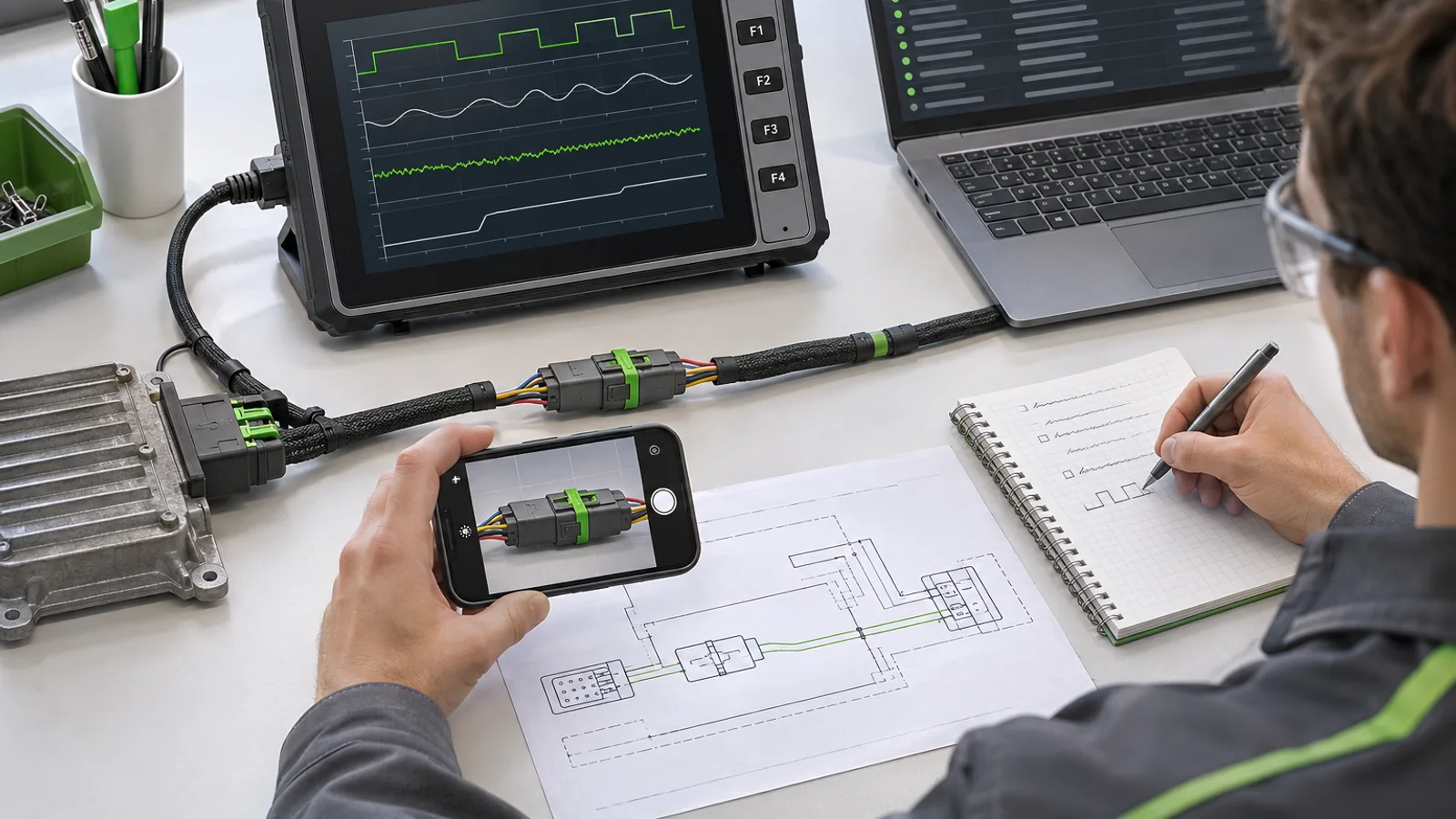
Write the job, vehicle, mounting space, interfaces, software owner, quantity and acceptance scope into the RFQ.
Add the peripheral models and who will supply them.
Ask the supplier to mark each item as standard, configurable or new engineering. Buyer responsibilities should be just as visible.
This is not paperwork for its own sake.
It is how the project stops discovering hidden scope after the sample arrives.
At the end of a bad review, someone usually says the missing piece was obvious.
Put the obvious pieces on the first page next time. Vehicle. Job. Interface. Software owner. Test. Who signs.
Six lines are cheaper than another sample loop.
The RFQ checklist gives you the starting format.
For a PDS project, use the OEM/ODM review and contact page to define the proposed boundary.
FAQ
Should the first response to an integration fault be a replacement unit?
Usually no. Save the job state, logs, build identifiers and interface evidence first.
A replacement may hide the condition that caused the problem.
Who owns CAN message decoding?
The project must name that owner in writing.
Physical access, an API and permission to use the message database are three separate items.
What if the device receives data but the application does not?
Compare the interface input with the value consumed by the application.
Then inspect parsing, permissions, storage and application state.
Can an intermittent fault be closed after one clean retest?
Not without enough evidence to explain the earlier failure.
Record frequency, trigger conditions and the change linked to the result.
Should every update trigger a full regression test?
The change determines the scope, and that decision should be documented.
At minimum, retest the jobs and interfaces affected by a driver, harness, application or system-image change.
Can PDS support a custom integration protocol?
Support depends on the selected platform and project scope.
Send a written interface specification, sample data and proposed test plan for review.
What details belong in an integration issue report?
Include the vehicle, unit, hardware revision, software build and peripheral versions.
Add repeatable steps and the expected and observed results. Remove production credentials and personal data.
Does a passing bench test prove the vehicle installation?
No. It can isolate a component, but it does not cover vehicle power, mounting or normal operator use.
Complete the agreed test in the intended installation.
How should a camera workload be evaluated?
Test the intended camera, format, channel count and application load together.
Check startup, recording, reconnect and the operator view.
When should the configuration be frozen?
Freeze it when the hardware, harness, software and acceptance records can be identified together.
Later changes should pass through a documented review and retest.
Contact us
Email: [email protected]
Tel: +86 13421822024
Website: www.szpds.com
About PDS Technology | Contact PDS Technology | Privacy and terms inquiries
Disclaimer
The information in this article is for reference only. PDS Technology Co., Ltd. assumes no responsibility for errors, omissions, or suitability of the content for specific applications. Product specifications are subject to change without notice. Buyers should verify all technical details with our team before use.
About PDS Technology
PDS Technology is a leading OEM/ODM manufacturer of high-precision RTK GNSS terminals and vehicle computers, serving agriculture, construction, mining, taxi, and logistics markets since 2011.
With 15+ years of automotive-grade R&D experience, we offer rugged, multi-OS (Android/Linux/OpenHarmony) devices featuring RTK centimeter-level positioning, IP66 protection, and AI-ready performance. Our IATF16949-certified factories have produced over 100,000 units deployed globally, holding 30%+ of China's agricultural auto-steering terminal market. We export to Japan, the US, UK, Turkey, Russia, and beyond.